Last Updated on April 27, 2026 by Prabhakar A
Understanding and implementing effective SEO practices on your WordPress platform will directly impact your ability to connect with your target audience. From crafting compelling content to ensuring technical soundness, every step contributes to a higher ranking and greater organic reach. We will explore the evolving search landscape, the crucial role of user experience, and how to harness WordPress’s inherent strengths to achieve your online objectives.
Table of Contents
Why WordPress SEO is Non-Negotiable for Your 2026 Online Presence
The digital ecosystem is in a constant state of flux, with search engines like Google continuously refining their algorithms to deliver the most relevant and valuable results to users. For any website built on WordPress, understanding these shifts is paramount. In 2026, a static approach to SEO will quickly lead to diminishing returns. Instead, a dynamic, data-driven strategy that prioritizes user intent and content quality is essential. Ignoring SEO is akin to opening a shop in a prime location but never putting up a sign – potential customers simply won’t find you.
The impact of effective SEO extends beyond mere visibility; it directly influences your credibility and authority in your niche. When your website consistently ranks high for relevant search queries, users perceive it as a trustworthy source of information. This is particularly crucial for sites like Trainingsadda.in, which aims to provide valuable guidance on topics ranging from career development to digital marketing. Building trust through consistent, high-quality search engine presence is a long-term investment that yields significant rewards in user engagement and conversion rates. For instance, consistently appearing in the top results for queries related to tech career paths can establish your site as a go-to resource for aspiring professionals.
The Evolving Search Landscape in 2026: What’s Changed for WordPress Users
By 2026, search engines are more sophisticated than ever in understanding context and user intent. The focus has shifted from simple keyword matching to analyzing the semantic relationships between words and the overall topic of a page. This means that for WordPress users, creating comprehensive, well-researched content that thoroughly addresses a user’s query is more important than ever. Think about creating content that not only answers a question but also anticipates follow-up questions. Search engines are also placing a greater emphasis on E-E-A-T (Experience, Expertise, Authoritativeness, and Trustworthiness), making author bios and clear site ownership crucial for credibility. For example, demonstrating your expertise in digital marketing through detailed guides on topics like essential digital marketing tools will bolster your E-E-A-T.
Another significant evolution is the increasing prominence of AI-powered search capabilities and conversational search queries. Users are more likely to ask full questions rather than just keywords. Your WordPress content strategy needs to adapt by using natural language and answering these questions directly. This also influences how search engines interpret your content. Furthermore, the rise of voice search and visual search means that optimizing for long-tail keywords and descriptive language in your content, as well as ensuring your images are properly tagged, becomes even more critical. The interconnectedness of search also means that understanding how users navigate from one piece of content to another, both on your site and externally, is key to maintaining their engagement and signaling value to search engines.
Impact of User Experience (UX) on WordPress Rankings Today
User experience (UX) has evolved from a “nice-to-have” to a fundamental ranking factor in 2026. Search engines aim to direct users to websites that provide a seamless and enjoyable experience, and they use various signals to measure this. For WordPress sites, this means paying close attention to website speed, mobile-friendliness, intuitive navigation, and clear calls to action. A slow-loading website, for instance, will cause users to bounce, sending negative signals to search engines. Similarly, a confusing site structure makes it difficult for both users and search engine crawlers to find information, hindering your SEO efforts. A well-designed user journey keeps visitors engaged, which is a strong indicator of content quality and relevance. For example, a site that makes it easy for users to find information on career advancement will naturally see better engagement metrics.
Core Web Vitals (CWV), a set of metrics focused on user experience in loading, interactivity, and visual stability, are a prime example of UX’s direct impact on rankings. Google’s algorithms use these metrics to assess page quality. For WordPress users, this translates to optimizing images, leveraging browser caching, and choosing a reliable hosting provider. Beyond technical aspects, the readability and accessibility of your content play a significant role. Using clear headings, short paragraphs, and sufficient white space improves user engagement. Ultimately, a positive UX keeps visitors on your site longer, encourages them to explore more pages, and reduces bounce rates – all of which are powerful SEO signals that search engines observe. Prioritizing user satisfaction is no longer just good practice; it’s a critical component of a successful SEO strategy.
Leveraging WordPress’s Built-in SEO Strengths for Modern Growth
WordPress, out of the box, provides a solid foundation for SEO, but its true power lies in how effectively you can leverage its features. The platform’s clean code structure is inherently search engine friendly. Its user-friendly editor makes it easy to incorporate keywords, structure content with headings (H1, H2, etc.), and create internal links, all of which are vital for on-page SEO. The permalink structure can be customized to create SEO-friendly URLs, making it easier for search engines and users to understand the content of a page. For example, a URL like `trainingsadda.in/digital-marketing-roi-strategies` is far more informative than `trainingsadda.in/?p=123`. This built-in flexibility allows for granular control over how your content is presented to search engines.
Furthermore, WordPress’s vast ecosystem of plugins offers unparalleled opportunities to enhance SEO capabilities. While we’ll delve deeper into specific plugins later, it’s important to recognize that the platform’s extensibility allows you to integrate advanced SEO tools and features seamlessly. Beyond plugins, the theme architecture of WordPress can also impact SEO. Choosing a well-coded, mobile-responsive theme is crucial, as it directly affects user experience and mobile-first indexing. The ability to easily manage categories and tags also helps organize content logically, improving site navigation for users and aiding search engines in understanding the hierarchy and relationships between different pieces of content. Properly utilizing these foundational elements sets the stage for more advanced SEO tactics.
Choosing the Right WordPress SEO Plugin: Yoast vs. Rank Math vs. All in One SEO
In the competitive WordPress ecosystem, SEO plugins have become indispensable tools for optimizing websites for search engines. Among the leading contenders, Yoast SEO, Rank Math, and All in One SEO (AIOSEO) stand out for their comprehensive feature sets and ongoing development. These plugins aim to simplify complex SEO tasks, providing guidance and automation that can significantly impact your site’s search performance. The decision of which plugin to adopt depends heavily on your specific needs, technical proficiency, and the scale of your website. Each plugin offers a different approach to SEO management, and understanding their nuances is key to making an informed choice that aligns with your growth objectives.
The goal of these plugins is to empower users, from beginners to advanced developers, to implement best practices without necessarily needing to be an SEO expert. They typically provide features for on-page optimization, XML sitemap generation, schema markup, and more. However, their interfaces, feature prioritization, and premium offerings vary. For a site like Trainingsadda.in, which focuses on educational content across multiple verticals, selecting a plugin that offers robust content analysis and clear recommendations for improvement is crucial. The right plugin acts as a constant advisor, helping you identify and rectify SEO oversights before they impact your rankings, thereby accelerating your journey to better organic visibility.
Feature Comparison: Which Plugin Offers the Best Value for Your Needs?
When comparing Yoast SEO, Rank Math, and All in One SEO, a feature-by-feature analysis reveals distinct strengths. Yoast SEO is lauded for its user-friendly approach, offering clear readability and SEO analysis scores for each post and page. Its strength lies in its straightforward guidance, making it ideal for beginners. Rank Math, on the other hand, has rapidly gained popularity for its extensive free features, often described as offering premium functionality at no cost. It includes features like a redirection manager, 404 monitor, and basic schema markup in its free version, which other plugins reserve for their paid tiers. All in One SEO (AIOSEO) positions itself as a powerful, all-encompassing solution, with a strong emphasis on ease of use and a comprehensive suite of tools for both beginners and advanced users, often providing a streamlined workflow for common optimization tasks.
Consider your primary content optimization needs. If your focus is on consistently producing high-quality, readable content, Yoast’s detailed analysis might be most valuable. If you’re looking for a feature-rich free option that includes advanced functionalities like schema and redirects, Rank Math is a compelling choice. For those who want a robust, all-in-one solution with an intuitive interface that handles technical aspects efficiently, AIOSEO could be the better fit. For Trainingsadda.in, which covers a broad range of educational topics, a plugin that can help manage multiple content types and provide varied schema options might be advantageous. For example, optimizing content related to digital marketing ROI requires specific schema types to highlight data and key takeaways effectively.
Ease of Use and User Interface: A Beginner’s Perspective
For newcomers to WordPress SEO, the user interface and overall ease of use of an SEO plugin are paramount. Yoast SEO has long been praised for its intuitive interface. Its setup wizard guides users through the initial configuration, and the on-page analysis feature provides a clear, color-coded score for both SEO and readability, making it easy to understand areas for improvement. The metabox that appears below the WordPress editor is well-organized, presenting essential fields like the focus keyword, SEO title, and meta description in an accessible manner. All in One SEO also excels in this regard, aiming for a clean and uncluttered interface that simplifies the optimization process, often presenting options in a way that is easy to digest for less technical users.
Rank Math, while incredibly powerful, can sometimes feel more complex to a complete beginner due to the sheer number of options and features available, even in its free version. However, it also offers a setup wizard and clear modules that allow users to enable or disable features based on their needs, which can help manage complexity. When evaluating ease of use, consider how quickly you can implement basic optimizations like setting focus keywords and meta descriptions. For a platform like Trainingsadda.in, where content creation is ongoing, a plugin that doesn’t add significant friction to the publishing workflow is essential. The ability to quickly grasp how to optimize a new article without extensive training is a major advantage for maintaining content velocity.
Advanced Features and Customization Options for Power Users
For users who require more granular control and advanced capabilities, the differences between these plugins become more pronounced. Rank Math shines here, offering a wealth of advanced features in its free version, including redirection management, 404 error monitoring, schema markup for various content types (including local SEO and products), and integration with Google Search Console. Its modular design allows power users to enable only the features they need, reducing bloat. Yoast SEO’s premium version unlocks more advanced features such as multiple focus keywords, internal linking suggestions, WooCommerce SEO, and social media previews. It also offers more advanced schema controls and SEO data integration.
All in One SEO also offers advanced functionalities, particularly in its premium versions, with features like advanced schema markup, local SEO tools, and e-commerce optimization. For power users, the key is the ability to customize robots meta tags, control indexation, manage canonical URLs, and integrate with other SEO tools or analytics platforms. If your site, like Trainingsadda.in, requires sophisticated content structuring or management of a large volume of articles, the plugin’s ability to automate certain advanced tasks, such as bulk editing or providing detailed insights into SERP rankings and keyword performance, becomes invaluable. The depth of customization available for schema markup and the ability to fine-tune how search engines crawl and index your content are critical considerations for advanced users.
Free vs. Premium: Making the Smart Investment Decision
The decision between using the free or premium version of an SEO plugin hinges on your website’s current stage, your budget, and your specific SEO goals. The free versions of Yoast SEO, Rank Math, and AIOSEO are remarkably capable and can provide significant SEO benefits, especially for smaller to medium-sized websites. For example, the free versions all offer robust on-page optimization analysis, meta tag editing, and XML sitemap generation. Rank Math’s free tier is particularly generous, offering many features typically found in premium plugins. For a site just starting out or with limited resources, these free versions are an excellent starting point, providing the essential tools needed to build a solid SEO foundation.
However, as your website grows and your SEO needs become more complex, investing in a premium version often becomes a strategic necessity. Premium features can include advanced keyword analysis (multiple keywords), internal linking suggestions, better schema markup options, WooCommerce integration, and dedicated support. For a content-heavy site like Trainingsadda.in, which aims to cover diverse educational topics, features like advanced schema markup for specific content types (e.g., tutorials, guides) or enhanced internal linking tools can significantly boost efficiency and effectiveness. The premium versions often provide a competitive edge by enabling more sophisticated optimization strategies that are harder to achieve with free tools alone, ultimately justifying the investment through improved search rankings and organic traffic.
On-Page SEO Essentials for WordPress: Optimizing Your Content
On-page SEO refers to the practice of optimizing individual web pages to rank higher and earn more relevant traffic from search engines. It involves both the content itself and the HTML source code of a page. For WordPress users, implementing on-page SEO effectively is about making your content as relevant, valuable, and accessible as possible to both search engines and users. This starts with understanding your audience’s search intent and crafting content that precisely meets their needs. Every article, guide, or post on your WordPress site is an opportunity to rank, and neglecting on-page optimization is a missed chance to connect with potential visitors.
The beauty of WordPress is its inherent flexibility in facilitating on-page SEO. The intuitive editor allows for easy structuring of content with headings, the insertion of keywords, and the creation of internal and external links. Combined with an SEO plugin, this becomes even more powerful, providing real-time feedback and guidance. Mastering on-page SEO ensures that when a user searches for a topic related to your content, such as advice on future-proofing a tech career, your WordPress pages are well-positioned to appear prominently in the search results. It’s about making your content discoverable and undeniably valuable.
Keyword Research in 2026: Tools and Strategies for WordPress
In 2026, keyword research is less about stuffing exact match keywords and more about understanding user intent and the topics your target audience is searching for. For WordPress users, this means identifying the informational queries people type into search engines. Tools like Google Keyword Planner, Semrush, Ahrefs, and even Google’s own “People Also Ask” section can be invaluable. The goal is to find keywords that have a reasonable search volume, are relevant to your content, and have a manageable level of competition. Focus on long-tail keywords—more specific phrases—as they often indicate higher user intent and conversion potential.
When researching keywords for WordPress content, consider the different stages of the user journey. Are they in the awareness stage, looking for general information? Or are they in the consideration stage, comparing options? Your keyword strategy should encompass both. For instance, for a guide on digital marketing, you might target broad terms like “digital marketing strategies” but also specific long-tail queries like “best tools for small business social media marketing.” Ensure your chosen keywords are naturally integrated into your content, titles, headings, and meta descriptions. This approach not only satisfies search engines but also makes your content more engaging and informative for your readers, which is the ultimate goal for any content creator on platforms like Trainingsadda.in.
Crafting Compelling Meta Titles and Descriptions for Click-Through Rates
Meta titles and descriptions are your website’s first impression in the search engine results pages (SERPs). A compelling meta title (under 60 characters) should accurately describe the page’s content and include your primary keyword, ideally near the beginning. It needs to be enticing enough to make a user click. Meta descriptions (under 160 characters), while not a direct ranking factor, play a crucial role in encouraging clicks by providing a concise summary of the page’s content and including a call to action or benefit statement. For WordPress users, SEO plugins make it easy to customize these elements for each post and page.
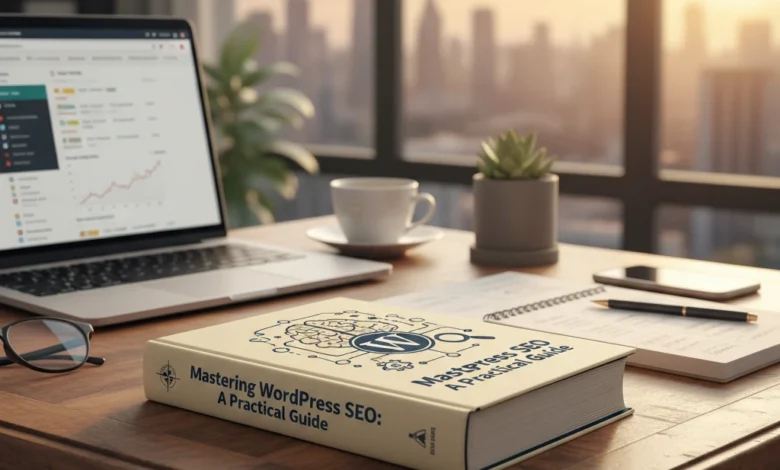
When crafting these snippets for WordPress, think from the user’s perspective. What would make them click on your link versus a competitor’s? Use strong action verbs, highlight the unique value proposition of your content, and ensure consistency with the page’s actual content to avoid disappointing users. For example, a meta title like “Mastering WordPress SEO: A Practical Guide for 2026” combined with a description like “Unlock higher rankings with our comprehensive WordPress SEO guide. Learn essential techniques for content, technical, and on-page optimization.” will draw in users seeking actionable advice. Regularly review and update your meta titles and descriptions, especially for your most important pages, to maximize click-through rates (CTR).
Strategic Internal Linking for Improved Site Navigation and Authority
Internal linking is the practice of linking from one page on your website to another. In WordPress, this is a powerful tool for enhancing user experience and distributing “link equity” or “link juice” throughout your site, thereby boosting the SEO of your linked pages. Strategic internal linking helps search engine crawlers discover new content more efficiently and understand the structure and hierarchy of your website. It also keeps users engaged by guiding them to related content, encouraging them to spend more time on your site.
When implementing internal links on WordPress, use descriptive anchor text that accurately reflects the content of the linked page. Avoid generic phrases like “click here.” Instead, use keywords that are relevant to the destination page. For example, if you are writing an article about business growth and want to link to a guide on automation, your anchor text could be “learn about business automation strategies.” This not only helps users understand what they’re clicking on but also signals to search engines the relevance of the linked page. Aim to link to relevant content naturally within the body of your posts and pages, creating a cohesive and navigable experience for your visitors. This is especially important for educational sites that offer a wealth of interconnected information.
Optimizing Image Alt Text and File Names for Discoverability
Images are a crucial part of engaging WordPress content, but they can also be a significant SEO opportunity. Optimizing image file names and alt text (alternative text) helps search engines understand what your images are about, making them discoverable in image search results and contributing to the overall relevance of your page content. For WordPress, this is relatively straightforward. When uploading an image, take a moment to give the file a descriptive name, such as `wordpress-seo-plugin-comparison.jpg` instead of `IMG_1234.jpg`. This simple step aids in categorizing the image.
The alt text field is even more critical. It serves as a textual description of the image for visually impaired users using screen readers and for search engines. When writing alt text, be descriptive and concise, incorporating relevant keywords naturally if they fit. For example, if you have an image illustrating the process of keyword research, your alt text could be “Diagram showing keyword research tools and strategies for WordPress SEO.” Avoid keyword stuffing; the primary goal is to accurately describe the image. By consistently optimizing your images’ file names and alt text, you expand your site’s reach and improve the accessibility and SEO performance of your WordPress content, potentially attracting traffic from image-based searches.
Technical SEO Mastery: Ensuring Your WordPress Site is Search Engine Friendly
While on-page optimization focuses on content, technical SEO addresses the backend structure and performance of your WordPress website to ensure search engines can crawl, index, and understand it effectively. In 2026, a technically sound website is non-negotiable for achieving high search rankings. This involves a range of elements, from site speed and mobile-friendliness to schema markup and proper handling of errors. A technically flawed website, even with excellent content, will struggle to be discovered by search engines, limiting its organic reach.
Technical SEO acts as the foundation upon which your on-page and off-page efforts are built. If search engines cannot properly access or interpret your site, your content optimization efforts will be in vain. This section will guide you through the critical technical aspects that every WordPress site owner needs to master, from ensuring your site is lightning-fast and mobile-ready to implementing advanced markup that enhances your visibility in search results. Addressing these elements proactively will not only improve your SEO performance but also create a better user experience for your visitors.
Website Speed Optimization: The Crucial Role of Hosting and Caching
Website speed is no longer a luxury; it’s a critical ranking factor and a fundamental aspect of user experience. Slow-loading WordPress sites lead to high bounce rates, frustrated users, and poor search engine performance. Two of the most impactful areas for speed optimization are your hosting provider and caching. Choosing a reliable, high-performance hosting provider that is optimized for WordPress is the first step. Shared hosting plans can often be slow and unreliable as you share resources with many other websites. Consider managed WordPress hosting or a Virtual Private Server (VPS) for better performance and scalability.
Caching is another vital component. Caching essentially stores static versions of your web pages, so they can be delivered to visitors much faster without requiring the server to generate them from scratch every time. For WordPress, this can be implemented through caching plugins (like WP Super Cache, W3 Total Cache, or LiteSpeed Cache if your host supports it) or server-level caching. Many quality WordPress hosting providers offer built-in caching solutions. Regularly testing your website’s speed using tools like Google PageSpeed Insights or GTmetrix is essential to identify bottlenecks and track improvements. For a content-rich site like Trainingsadda.in, optimizing images and leveraging browser caching are also key to maintaining fast load times.
Mobile-First Indexing: Is Your WordPress Site Ready for 2026?
In 2026, Google primarily uses the mobile version of your content for indexing and ranking. This means your WordPress website absolutely must be mobile-friendly and provide an excellent user experience on all devices. Mobile-first indexing signifies that search engines crawl and index your site based on its mobile version, not its desktop counterpart. If your WordPress site isn’t responsive, or if the mobile version offers a significantly different or degraded experience compared to the desktop version, your rankings will suffer.
To ensure your WordPress site is ready, confirm that your theme is fully responsive. This means the layout and content automatically adjust to fit any screen size. Test your site using Google’s Mobile-Friendly Test tool to identify any issues. Beyond responsiveness, focus on mobile usability: ensure buttons are easy to tap, text is readable without zooming, and navigation is intuitive on smaller screens. For content-heavy sites like Trainingsadda.in, this includes ensuring that images and media load quickly and display correctly on mobile devices. Prioritizing the mobile experience isn’t just about adhering to Google’s guidelines; it’s about reaching the majority of internet users who browse on their smartphones.
Schema Markup Implementation for Rich Snippets and Enhanced Visibility
Schema markup is a form of microdata that you can add to your WordPress website’s HTML to help search engines understand the context of your content more deeply. When implemented correctly, schema markup can help your website appear in “rich snippets” within the search results. These are enhanced listings that can include star ratings, event dates, product prices, FAQs, and more, making your listing stand out and significantly increasing its click-through rate. For a site like Trainingsadda.in, which publishes informational content, implementing schema for articles, how-tos, and potentially FAQs can be highly beneficial.
Several WordPress SEO plugins, including Rank Math and AIOSEO, offer built-in schema generators, simplifying the process. You can typically select the type of content (e.g., Article, Recipe, Product, FAQ) and fill in the relevant details. For more advanced customization or specific schema types, you might use dedicated schema plugins or code it directly into your theme. For example, using FAQ schema allows a list of frequently asked questions and their answers to appear directly in the search results under your main listing, providing immediate value to the user and potentially drawing more clicks. Properly implemented schema markup provides a competitive advantage by making your search listings more informative and attractive.
Troubleshooting Common WordPress Technical SEO Issues (e.g., Crawl Errors, Indexing Problems)
Even well-optimized WordPress sites can encounter technical SEO issues that hinder their performance. Common problems include crawl errors, indexing issues, broken links, and sitemap problems. Google Search Console is your primary tool for identifying and diagnosing these problems. Crawl errors, for instance, indicate that search engines were unable to access certain pages on your site. This could be due to broken links, incorrect robot directives, or server issues. For pages that are intentionally removed or moved, ensure you implement proper 301 redirects to guide both users and search engines.
Indexing problems occur when a page is not added to Google’s index, meaning it won’t appear in search results. This can be caused by robots.txt blocking, noindex tags, or thin or duplicate content. Regularly reviewing your WordPress site’s performance in Google Search Console for coverage reports and manually requesting indexing for new or updated important pages can help. For content-rich platforms like Trainingsadda.in, ensuring all new articles are correctly indexed and that no valuable content is inadvertently blocked from search engines is crucial. Addressing these technical aspects proactively ensures that your content has the best chance of being found and ranked by search engines.
Off-Page SEO Strategies: Building Authority and Trust for Your WordPress Site
While on-page optimization is crucial for making your WordPress content search engine friendly, off-page SEO is where you build authority, credibility, and trust. This encompasses all activities that happen outside of your website to influence your rankings within search engine results pages (SERPs). It’s about demonstrating to search engines like Google that your site is a reputable and valuable resource. For a site like Trainingsadda.in, which focuses on educational and career guidance, establishing authority is paramount to attracting users seeking reliable information. Think of it as word-of-mouth marketing for the digital age. The stronger your off-page signals, the more likely search engines are to favor your content when users search for topics related to education, digital marketing, or career advancement.
The goal of off-page SEO is to signal to search engines that your website is a trusted source. This isn’t achieved through a single tactic but a combination of strategies working in synergy. For example, high-quality backlinks from authoritative websites act as “votes” of confidence. Positive online mentions and strong social signals indicate that your content resonates with an audience and is widely discussed. Effectively managing your online reputation ensures that any mentions, positive or negative, are handled professionally. These elements collectively contribute to a more robust search presence, driving more qualified traffic to your WordPress site. It’s a long-term game, requiring consistent effort and a focus on genuine value creation.
Modern Link Building Tactics: Beyond Guest Posting
Guest posting was once a cornerstone of link building, but its effectiveness has diminished significantly due to overuse and often poor implementation. Modern link building is more sophisticated and focuses on earning high-quality links through value and relationships. Instead of simply pitching articles, consider creating highly shareable and link-worthy content such as original research, comprehensive guides, free tools, or compelling infographics. For Trainingsadda.in, this could involve publishing an in-depth analysis of emerging tech skills or a detailed breakdown of job market trends, making it a natural resource for other educational or career-focused sites to link to. The key is to create content that others genuinely want to reference.
Another effective tactic is broken link building. This involves finding broken links on other relevant websites and suggesting your own content as a replacement. Tools can help identify these opportunities. Additionally, pursuing resource page link building, where you identify web pages that list useful resources and request to be included if your content is a good fit, can yield valuable links. Finally, consider developing strategic partnerships or participating in industry roundups. For instance, contributing insights to a broader article about digital marketing trends could earn you a valuable backlink. Focus on relevance and authority when identifying potential linking sites; a link from a highly respected authority in the education or technology space is far more valuable than multiple links from low-authority blogs.
Leveraging Social Signals for WordPress SEO
While social media shares, likes, and comments aren’t direct ranking factors, they significantly influence your off-page SEO indirectly. When your content is actively shared and discussed on social platforms, it increases its visibility, leading to more potential eyeballs and, consequently, more opportunities for backlinks. Social signals act as an indicator of content popularity and relevance. If a piece of content is being widely shared, it suggests to search engines that it’s valuable and resonates with users. For a site like Trainingsadda.in, encouraging shares on platforms like LinkedIn and Twitter, where professionals and learners congregate, can drive traffic and build brand awareness.
To effectively leverage social signals, ensure your WordPress site has prominent social sharing buttons. Make it easy for visitors to share your articles with their networks. Engage with your audience on social media; respond to comments, participate in discussions, and actively promote your latest content. Running social media campaigns that highlight your most informative posts can amplify their reach. Moreover, monitor what your audience is saying about your brand and content on social media. This feedback can inform your content strategy and help you create more engaging material. Remember, the goal is to foster a community around your content, driving both engagement and organic discovery.
Online Reputation Management and Brand Mentions
Your online reputation is a critical component of off-page SEO, especially in today’s interconnected digital landscape. This involves monitoring what is being said about your brand, Trainingsadda.in, across the web and managing those perceptions. Brand mentions, even without a direct link, can influence search engine perception. If your brand is frequently mentioned in positive contexts on reputable sites, it signals authority and trustworthiness. Conversely, negative mentions can harm your SEO efforts and deter potential readers.
Tools like Google Alerts or dedicated reputation management software can help you track mentions of “Trainingsadda.in” or related keywords. When you encounter positive mentions on other blogs or news sites, you can sometimes reach out to see if a link to the relevant content on your site could be added to provide further context for their readers. For negative mentions, a prompt and professional response is key. Addressing concerns transparently can mitigate damage and even turn a negative situation into an opportunity to demonstrate excellent customer service. Building strong relationships within your niche can also help foster positive sentiment and generate authentic brand advocates who will speak positively about your content.
Content is King (Still): Creating SEO-Rich Content for WordPress Readers
Even with the evolution of SEO, content remains the cornerstone of any successful online strategy. For Trainingsadda.in, producing high-quality, informative, and engaging content is non-negotiable. This means not just publishing articles but crafting them with both the user and search engines in mind. Think depth over brevity; provide comprehensive answers to user queries, showcase expertise, and offer actionable insights that genuinely help your audience. The aim is to become the go-to resource for topics within your niche. This involves a deep understanding of what your target audience is looking for and delivering it in a format that is easily digestible and valuable.
The success of your content hinges on its ability to satisfy user intent and provide a superior experience compared to competing pages. Search engines are increasingly sophisticated at identifying content that truly answers a user’s query. Therefore, investing time in keyword research, understanding semantic search, and creating in-depth topical coverage is crucial. For a site focused on education and career guidance, this means covering subjects with a level of detail that empowers readers to make informed decisions. This could range from detailed guides on career paths to tutorials on essential digital marketing tools, all designed to be both informative and engaging. Ultimately, consistently publishing exceptional content is the most sustainable way to build organic traffic and authority.
Understanding User Intent: What Search Engines Want You to Provide
User intent is the underlying reason behind a search query. Understanding this is fundamental to creating content that ranks well in WordPress. Search engines aim to provide the most relevant results for what a user is *actually* looking for, not just the keywords they use. For instance, someone searching “digital marketing tools” might have navigational intent (looking for a specific tool), informational intent (wanting to learn about tools), or even transactional intent (ready to buy). For Trainingsadda.in, identifying and catering to these various intents for topics like career guidance or technology trends is paramount.
To uncover user intent, analyze the search results for your target keywords. What kind of content ranks highest? Are they blog posts, product pages, guides, or comparison articles? This reveals what Google deems the best answer. If your target keyword yields long-form guides, your goal should be to create an even more comprehensive and valuable guide. If it shows comparison articles, focus on providing clear comparisons. For a website like Trainingsadda.in, this might mean creating content that answers questions like “What is the best career path for me?” (informational) or “How to improve your job interview skills?” (instructional). By aligning your content with the likely user intent, you signal to search engines that your WordPress site is a relevant and authoritative source.
Content Clusters and Pillar Pages for Topical Authority
Building topical authority is key to establishing your WordPress site as a leader in its niche. One of the most effective ways to achieve this is through a content cluster model, consisting of a pillar page and supporting cluster content. A pillar page is a comprehensive, long-form guide on a broad topic (e.g., “Digital Marketing Fundamentals”). The cluster content consists of individual articles that delve deeper into specific sub-topics related to the pillar page (e.g., “SEO Basics,” “Social Media Marketing Strategies,” “Email Marketing Techniques”). These cluster articles should link back to the pillar page, and the pillar page should link out to the relevant cluster articles.
This structure signals to search engines that you have deep expertise on a particular subject. For Trainingsadda.in, this could mean creating a pillar page on “Career Advancement” and then developing cluster content on topics like “Essential Skills for the Future,” “Navigating Job Transitions,” or “Effective Networking Strategies.” This not only organizes your content logically for users but also strengthens your site’s relevance for a wide range of related queries. By consistently creating and interlinking content around core topics, you build a robust network of information that search engines recognize as a comprehensive authority, improving your overall rankings for that topical domain.
The Art of Readability: Formatting and Engagement Techniques
Creating technically sound, SEO-optimized content is only half the battle; if your readers can’t easily digest it, they’ll likely bounce. Readability in WordPress content is crucial for user experience and, by extension, SEO. Search engines favor content that keeps users engaged. This means structuring your articles for easy scanning and comprehension. Use short paragraphs (2-4 sentences), clear and concise language, and avoid jargon where possible. Employing headings (H2, H3) and subheadings breaks up text and helps readers quickly find the information they need. Bullet points and numbered lists are excellent for presenting information in an easily digestible format, making complex topics more approachable.
Engaging your audience goes beyond just formatting. Incorporate elements like compelling visuals (images, videos, infographics) to illustrate points and break up text. Ask questions within your content to encourage thought and interaction. For Trainingsadda.in, this might involve embedding a short video explaining a complex career concept or using an infographic to visualize job market data. Furthermore, ensure your writing style is approachable and conversational, especially for educational content. Use bold text sparingly to highlight key takeaways. The goal is to make your WordPress content not only informative but also enjoyable and easy to consume, which leads to longer dwell times and lower bounce rates, positive signals for search engines.
Local SEO for WordPress: Attracting Local Customers in 2026
For businesses and organizations that serve a specific geographic area, Local SEO is an indispensable strategy. Even if Trainingsadda.in’s core offerings are digital, there might be local workshops, career fairs, or community events it wishes to promote. Local SEO focuses on optimizing your online presence to attract more business from relevant local searches. It’s about ensuring that when someone in your service area searches for terms related to your offerings, your WordPress site appears prominently in local search results, including maps and the “local pack.” This requires a different set of optimizations than broader SEO, focusing on geographic relevance and proximity.
The primary goal of local SEO is to make your business visible to people searching for products or services in your immediate vicinity. This includes optimizing your website content with local keywords, building citations in relevant online directories, and managing your online reviews. For Trainingsadda.in, this could mean attracting local students looking for career guidance or businesses in a particular city seeking digital marketing services. By focusing on local signals, you can effectively target a highly relevant audience that is more likely to convert, whether that means attending an event, enrolling in a local program, or engaging with your content from a specific region.
Optimizing Your Google Business Profile for WordPress Sites
Your Google Business Profile (GBP), formerly Google My Business, is arguably the most critical element of local SEO. It’s the first impression many potential local customers will have of your business on Google Search and Maps. For Trainingsadda.in, even if its primary audience is online, optimizing its GBP is essential for local visibility. This involves claiming and verifying your business listing and then meticulously filling out all relevant information. This includes your business name, address, phone number (NAP), website URL, business hours, and categories. Ensure these details are accurate, consistent, and complete across your WordPress site and all other online listings.
Beyond basic information, actively manage your GBP by posting updates, photos, and videos regularly. Respond to all customer reviews, both positive and negative, to demonstrate engagement and build trust. Use the Q&A feature to proactively answer common questions. For instance, if Trainingsadda.in hosts local career workshops, it could post updates about upcoming sessions and answer questions about registration. The more complete and active your GBP, the more likely Google is to feature it in local search results, driving valuable local traffic to your WordPress site and increasing your chances of connecting with nearby users.
Local Keyword Targeting and Citation Building
To rank in local search results, you need to incorporate local keywords into your WordPress website’s content and meta data. This involves identifying terms that people in your target geographic area would use to find your services. For example, instead of just “career guidance,” you might target “career guidance Delhi” or “digital marketing training Mumbai.” Sprinkle these keywords naturally throughout your page titles, headings, body content, and even image alt text on relevant pages.
Citation building is the process of getting your business listed in online directories, such as Yelp, Yellow Pages, and industry-specific directories. Consistency in your NAP (Name, Address, Phone Number) across all these citations is paramount. Inaccurate or inconsistent NAP information can confuse search engines and negatively impact your local rankings. For Trainingsadda.in, ensure your WordPress site’s contact page displays accurate and consistent NAP details. Regularly audit your existing citations and seek out new, relevant directories to increase your local online footprint and signal to search engines that your business is legitimate and locally established.
Leveraging WordPress for Local Content Creation (e.g., City Guides, Local Event Listings)
Your WordPress site can be a powerful tool for creating locally relevant content that attracts a specific geographic audience. Instead of just broadly covering topics, tailor them to your local area. For instance, Trainingsadda.in could create “City Guides” for career opportunities in major urban centers, highlighting local industries, job markets, and educational institutions. Another effective approach is to list and provide information on local events, such as career fairs, workshops, or industry meetups relevant to your niche.
Developing content like “Top Tech Companies in Bangalore” or “Upcoming Digital Marketing Events in Pune” can attract local users searching for region-specific information. This type of content not only appeals to local search intent but also provides valuable resources that local businesses and individuals will appreciate and potentially link to. Ensure these local pieces are well-optimized with local keywords and include clear calls to action, such as inviting local readers to sign up for your newsletter or attend an event. This strategy effectively bridges the gap between broad online reach and specific local engagement for your WordPress site.
WordPress Security and SEO: A Symbiotic Relationship
The security of your WordPress website and its impact on SEO are inextricably linked. A secure website builds trust with both users and search engines, while a compromised site can lead to a sharp decline in rankings and traffic. Search engines like Google prioritize user experience, and a hacked website severely undermines this. If your site is flagged as malicious or has been compromised, Google may remove it from search results altogether, effectively annihilating your SEO efforts. Therefore, investing in robust security measures is not just about protecting data; it’s about safeguarding your SEO performance.
For a content-rich platform like Trainingsadda.in, where valuable information and user data are stored, security breaches can have devastating consequences. Beyond direct ranking penalties, a hacked site can suffer from malware distribution, phishing attacks, and defacement, all of which erode user trust. Users are unlikely to engage with or return to a website they perceive as unsafe. This leads to increased bounce rates, reduced time on site, and fewer conversions – all negative signals for SEO. Therefore, a proactive approach to WordPress security is essential for maintaining and improving your search engine rankings and overall online reputation.
How Security Breaches Impact Your WordPress SEO Rankings
A security breach on your WordPress site can have immediate and severe repercussions for your SEO. One of the most common impacts is a manual penalty from search engines. If Google detects malware, phishing content, or other security threats on your site, it may display a warning in the search results, deterring users from clicking. In more severe cases, Google might delist your site entirely until the issues are resolved. Even if a full delisting doesn’t occur, a compromised site often experiences a significant drop in keyword rankings due to diminished trust signals.
Furthermore, a hacked site can lead to a rapid increase in bounce rates as users encounter errors or malicious content and leave immediately. Reduced user engagement signals to search engines that your site is not providing a good experience. Spam injected into your site by hackers can also lead to penalties for keyword stuffing or linking to malicious sites. For Trainingsadda.in, this means losing valuable traffic for educational and career-related searches. Recovering from a major security breach is a lengthy and often costly process, involving site cleanup, security audits, and re-indexing by search engines, all of which can set back your SEO progress by months or even years.
Essential WordPress Security Practices for SEO
Implementing essential security practices is crucial for protecting your WordPress site and, by extension, its SEO. Begin with strong, unique passwords for all user accounts, especially administrators. Regularly update your WordPress core, themes, and plugins. Outdated software is a primary vulnerability that hackers exploit. Install a reputable security plugin that offers features like malware scanning, firewall protection, and brute-force attack prevention. For Trainingsadda.in, this could include plugins like Wordfence or Sucuri.
Regularly back up your WordPress site. In the event of a breach, a recent backup can significantly speed up recovery. Limit the number of administrator accounts and assign users roles with the minimum necessary permissions. Consider implementing two-factor authentication (2FA) for an extra layer of security. Additionally, keep your hosting environment secure by choosing a reputable hosting provider that offers security features and support. These proactive measures create a robust defense against threats, ensuring your site remains accessible, trustworthy, and visible to search engines and users alike.
Using SSL Certificates for Trust and Search Engine Preference
An SSL (Secure Sockets Layer) certificate encrypts data exchanged between your users’ browsers and your WordPress website, indicated by “https://” in the URL and a padlock icon. This encryption is vital for protecting sensitive information, such as login credentials or form submissions, fostering trust among your visitors. Search engines, particularly Google, view SSL certificates as a ranking signal, albeit a minor one. Websites with an SSL certificate are slightly favored in search rankings over those without.
For a website like Trainingsadda.in that deals with potentially sensitive user interactions and aims to build trust, implementing an SSL certificate is a non-negotiable step. It not only enhances security and user confidence but also provides a small SEO boost. Most reputable web hosting providers offer free SSL certificates (often via Let’s Encrypt) or have affordable upgrade options. Ensuring your WordPress site is served over HTTPS is a fundamental aspect of modern web security and a foundational element for maintaining good SEO practices, signaling to both users and search engines that your site is secure and reliable.
Measuring Your WordPress SEO Success: Key Metrics and Tools
Understanding how your WordPress website performs in search engines is paramount to refining your SEO strategy. Without diligent measurement, efforts can be misdirected, wasting valuable time and resources. Key metrics provide a quantitative view of your SEO health, indicating what’s working and what needs adjustment. Focus on metrics that directly impact your business goals, whether that’s increased organic traffic, higher conversion rates, or improved brand visibility. Analyzing these data points allows for informed decision-making, helping you to prioritize optimization efforts and adapt to evolving search engine landscapes. Regularly reviewing these insights prevents stagnation and fosters continuous improvement. For instance, observing a surge in traffic from a specific keyword might prompt you to create more content around that topic, thereby capturing a larger audience interested in, say, career paths in technology.
The decision criteria for what metrics to track should align with your overarching website objectives. If your goal is lead generation, then conversion rates from organic search will be a critical metric. If it’s brand awareness, then organic traffic volume and keyword rankings for branded terms will be more important. A common pitfall is focusing solely on vanity metrics like total website traffic without segmenting it by source, leading to a skewed understanding of SEO impact. Another mistake is not setting clear benchmarks or targets for these metrics, making it difficult to assess progress. For example, tracking your site’s visibility for terms related to “digital marketing tools” is crucial for a site like Trainingsadda.in. Setting a target to increase organic impressions for these terms by 15% in the next quarter, and then monitoring GA4 and Search Console, provides a clear path to success.
Google Analytics 4 (GA4) for WordPress SEO Insights
Google Analytics 4 (GA4) is an indispensable tool for understanding user behavior on your WordPress site and measuring the effectiveness of your SEO strategies. Unlike its predecessor, GA4 is event-driven, offering a more flexible and user-centric approach to data collection. Key metrics to monitor within GA4 for SEO include organic traffic volume, user engagement metrics such as average engagement time and scroll depth, and conversion tracking for key actions like form submissions or content downloads. You can also analyze user demographics and acquisition channels to understand who your audience is and where they are coming from. For instance, understanding that a significant portion of your audience interested in career advancement skills arrives via organic search from specific geographic locations can inform localized content strategies.
Leveraging GA4 effectively requires setting up appropriate events and conversions that align with your business objectives. A common pitfall is failing to properly configure event tracking, which can lead to incomplete or inaccurate data. For example, if you’re not tracking outbound link clicks or file downloads as events, you’re missing valuable insights into user interaction. Another mistake is overlooking the “Explore” section in GA4, which allows for deep-dive custom analysis beyond standard reports. To optimize GA4 for SEO insights, set up a custom report that shows organic traffic sources, landing pages, and conversion rates. Analyzing this report will reveal which content pieces are most effective at driving desired actions, allowing you to replicate successful formulas. For a blog focused on digital marketing, tracking conversions like newsletter sign-ups originating from organic search for terms like “digital marketing tools guide” is essential.
Google Search Console: Monitoring Performance and Errors
Google Search Console (GSC) is a free service provided by Google that helps you monitor, maintain, and troubleshoot your site’s presence in Google Search results. It’s an essential complement to Google Analytics, providing direct insights into how Google sees your website. Key metrics to track in GSC include impressions, clicks, average click-through rate (CTR), and average position for your keywords. GSC also highlights crucial technical aspects like mobile usability issues, indexing errors, and security problems. Regularly checking the “Performance” report allows you to identify high-potential keywords that may be underperforming in terms of CTR or position, presenting opportunities for content optimization or internal linking. For example, if a page targeting “web design principles” is getting many impressions but a low CTR, it might indicate a weak meta description or title tag, necessitating an update.
A critical decision when using GSC is how to prioritize the errors it flags. Not all errors are created equal; some can severely impact your search visibility, while others are minor. Focus first on critical issues like crawl errors, manual actions, and mobile usability problems. A common pitfall is ignoring warnings about duplicate content or missing meta descriptions, which can dilute your SEO efforts. Another mistake is not verifying your site ownership across all versions (e.g., http, https, www, non-www). To maximize GSC’s utility, regularly review the “Coverage” report to ensure all important pages are indexed and identify any indexing issues promptly. For a site like Trainingsadda.in, addressing any reported crawl errors on pages detailing cloud computing topics is vital to maintain search visibility for these informational articles.
Tracking Keyword Rankings and Competitor Analysis
Monitoring your keyword rankings is fundamental to understanding your position relative to competitors and gauging the effectiveness of your on-page and off-page SEO efforts. While manual checks are possible for a few terms, using dedicated keyword tracking tools is far more efficient and provides historical data crucial for trend analysis. Key decision criteria for choosing a tool include its accuracy, the depth of its reporting (e.g., local pack rankings, SERP features), and its competitor analysis capabilities. A pitfall to avoid is focusing only on high-volume keywords; often, long-tail keywords with lower volume but higher intent can drive more qualified traffic and conversions. For a business-oriented blog, tracking terms like “lean principles explained” or “business automation guide” is essential.
Competitor analysis involves identifying websites that rank for your target keywords and understanding their strategies. This includes analyzing their content depth, backlink profiles, on-page optimization techniques, and overall website authority. A common mistake is to simply copy competitor strategies without understanding the nuances of your own audience and domain. Instead, use competitor analysis to identify gaps and opportunities. For example, if your competitors are ranking well for “career guidance for freshers” but lack comprehensive articles on specific job roles, this presents an opportunity for your site to fill that void. Tools like Ahrefs or SEMrush can be invaluable for this, allowing you to uncover competitor backlinks and content strategies. Understanding how competitors approach topics related to job search tactics can reveal content angles you might have missed.
The Future of WordPress SEO: AI, Voice Search, and Beyond
The landscape of search engine optimization is in constant flux, and staying ahead requires anticipating future trends. Artificial intelligence (AI) and the increasing prevalence of voice search are two of the most significant forces reshaping how users find information and how search engines deliver results. For WordPress users, this means adapting content strategies and technical optimizations to align with these evolving paradigms. The core principles of providing valuable, relevant content and ensuring a technically sound website remain, but the methods of achieving them are changing. For instance, understanding how AI might influence search intent for topics like digital marketing ROI will be crucial for content creation.
AI is not just a buzzword; it’s actively influencing search algorithms, aiming to provide more nuanced and personalized results. Search engines are becoming better at understanding context, intent, and the semantic relationships between words. This means that keyword stuffing is not only ineffective but can be detrimental. Instead, the focus shifts towards creating comprehensive, authoritative content that answers user questions thoroughly and naturally. For WordPress site owners, this translates to an emphasis on topic clusters and deeply informative articles. A pitfall to avoid is creating shallow content that merely touches on a subject without providing real depth. The decision to invest more time in creating detailed guides, like those covering business principles, will pay dividends as AI prioritizes depth and authority.
How AI is Shaping Search Algorithms and Content Creation
Artificial intelligence is fundamentally altering search algorithms, moving them beyond simple keyword matching to a deeper understanding of user intent and content relevance. Google’s AI-powered systems, such as RankBrain and BERT, analyze the context of search queries and the content on web pages to deliver more accurate and useful results. For WordPress content creators, this signifies a shift towards producing topical authority and user-centric content that addresses searcher intent comprehensively. The decision criteria for content creation should now heavily weigh the comprehensiveness of the answer provided rather than just keyword density. For example, if a user searches for “how to build a high-converting website,” AI algorithms will favor content that not only lists components but also explains the underlying principles and provides actionable advice, much like the comprehensive guides on web design best practices.
A significant pitfall in content creation today is producing thin, keyword-stuffed articles that fail to satisfy user intent. AI-powered algorithms can easily identify such content and penalize it in search rankings. Conversely, embracing AI’s impact means focusing on creating in-depth resources that cover a topic from multiple angles, answer follow-up questions, and establish expertise. This involves creating content clusters around core topics, linking related articles together to demonstrate a broad understanding. For instance, for a blog covering technology, creating content around “mastering cloud computing” could be a central hub, with satellite articles on specific cloud platforms, security, and cost optimization. The actionable step here is to use AI-powered writing assistants not to automate content generation, but to assist in research, identify content gaps, and refine existing pieces for clarity and comprehensiveness.
Optimizing for Voice Search on Your WordPress Site
The proliferation of voice assistants like Siri, Alexa, and Google Assistant has made optimizing for voice search a critical component of modern WordPress SEO. Voice searches are typically conversational, phrased as questions, and often longer than typed queries. This necessitates a shift in content strategy towards answering natural language questions directly and concisely. Key decision criteria for voice search optimization include identifying conversational keywords and phrases your target audience uses, and structuring content to provide quick, direct answers. A common pitfall is treating voice search optimization as separate from regular SEO; in reality, many of the same principles apply, with an increased emphasis on natural language and structured data.
To optimize your WordPress site for voice search, focus on creating content that directly answers common questions related to your niche. This often involves using question-and-answer formats, bullet points, and clear, concise language. Structured data markup (Schema.org) is also vital, as it helps search engines better understand the context and content of your pages, making them more eligible for voice search answer boxes. For example, implementing FAQ schema can help your pages appear in featured snippets for question-based queries. A practical pitfall is failing to consider the “local” aspect of many voice searches. If your business has a local component, ensuring your Google Business Profile is optimized and your website has consistent NAP (Name, Address, Phone number) information is crucial. For Trainingsadda.in, this might involve optimizing content for queries like “what are the best tech skills for 2026?” or “career advice for students,” ensuring direct answers are readily available.
Emerging Trends to Watch in 2027 and Beyond
The digital marketing and SEO landscape is perpetually evolving, and staying informed about emerging trends is crucial for long-term success. As we look towards 2027 and beyond, several key areas are poised to significantly impact WordPress SEO strategies. These include the increasing dominance of AI in search, the continued rise of visual and video search, and the growing importance of user experience signals beyond traditional SEO metrics. The decision criteria for adopting new strategies should be based on their potential to enhance user value and align with search engine advancements, rather than simply chasing the latest fad. For instance, understanding how AI’s role in generating summaries might affect content visibility for topics like digital marketing tools will shape future content creation.
A significant emerging trend is the continued integration of AI into search, not just for understanding queries but also for generating responses. This may lead to more direct answers from AI models, potentially reducing clicks to websites for informational queries. Another trend to monitor is the growing sophistication of **visual and video search**. As search engines become better at analyzing images and videos, optimizing multimedia content with descriptive alt text, captions, and transcripts will become increasingly important. The pitfall here is to neglect these rich media formats, which offer new avenues for discovery. For WordPress users, this means exploring how to effectively integrate and optimize video content and infographics. Keeping an eye on advancements in areas like tech career skills through these visual mediums could offer a competitive edge.
Content on Trainingsadda.in is designed to provide readers with practical knowledge and actionable insights across a broad spectrum of educational and professional development topics.
The information provided on Trainingsadda.in aims to be a valuable resource for individuals looking to enhance their skills and navigate the complexities of career and business in the digital age.
Comments
0 comments