Last Updated on March 13, 2026 by Prabhakar A
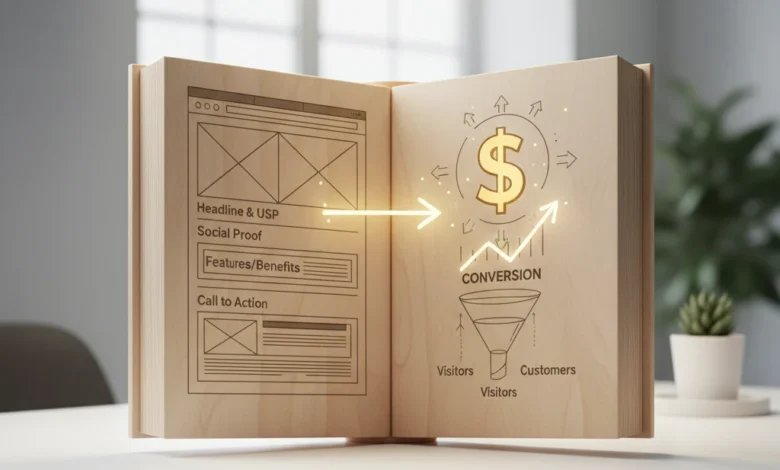
Your website’s homepage is often the first interaction a potential customer has with your brand. It’s your digital storefront, your initial handshake, and your opportunity to make a lasting impression. But is your homepage truly working for you, or is it inadvertently pushing visitors away? In 2026, with ever-increasing competition for online attention, ensuring your homepage is optimized for conversion is more critical than ever. This guide will walk you through the essential elements of a high-converting homepage, offering practical advice and actionable steps to transform your website into a powerful lead-generation tool.
We’ll explore common pitfalls that can sabotage your conversion rates and provide a checklist of must-have features for a modern, effective homepage. Additionally, we’ll delve into crafting a compelling value proposition and leveraging visuals to engage visitors and drive them towards your desired outcome. Let’s start by identifying the warning signs that your homepage might be underperforming.
Table of Contents
Is Your Homepage a Conversion Killer? Spotting the Warning Signs (Updated for 2026)
Before diving into optimization strategies, it’s crucial to diagnose whether your current homepage is hindering your business goals. Several key metrics can indicate a problem, including a high bounce rate, low time on page, and poor click-through rates on your calls to action. Regularly monitoring these metrics within your analytics platform provides invaluable insights into user behavior and highlights areas for improvement.
High Bounce Rate: Understanding Why Visitors Leave Immediately
A high bounce rate, typically considered above 70% for a homepage (depending on your industry and target audience), signals that visitors are leaving your site after viewing only one page – your homepage. This often indicates a disconnect between user expectations and the content they find upon arrival. Several factors can contribute to a high bounce rate, including slow loading speeds, a confusing or cluttered design, irrelevant content, and a lack of clear value proposition. Analyzing your traffic sources can offer further clues. For example, a high bounce rate from a specific ad campaign might suggest misleading ad copy or poor targeting. Addressing these issues is paramount; consider using tools like Google PageSpeed Insights to identify and fix performance bottlenecks. Make sure your homepage clearly and immediately communicates what you offer, and who you serve.
Low Time on Page: Are Users Engaging With Your Content?
If visitors stay on your homepage for only a few seconds, it’s a red flag. A low “time on page” suggests that your content isn’t engaging or relevant to their needs. Are your headlines compelling enough to capture their attention? Is your copy easy to read and understand? Is the overall user experience intuitive and enjoyable? Consider A/B testing different headline variations or simplifying your content to improve readability. Also, think about the visual hierarchy of your page. Are important elements easily noticeable? Are you using visuals effectively to break up the text and guide the user’s eye? Heatmap tools can help visualize user behavior and identify areas where visitors are losing interest. Ensuring your site is easy to navigate is also essential, consider reviewing guidelines for web design accessibility to improve usability.
Poor Click-Through Rates (CTR) on Key Calls-to-Action
Your calls-to-action (CTAs) are the gateways to conversion. If visitors aren’t clicking on them, your homepage is failing to guide them toward your desired outcome, whether it’s signing up for a newsletter, requesting a demo, or making a purchase. A low CTR indicates that your CTAs may not be compelling enough or are poorly positioned on the page. Experiment with different CTA wording, colors, sizes, and placement. Make sure your CTAs stand out visually and clearly communicate the value proposition of clicking on them. Consider using A/B testing to compare different CTA designs and identify what resonates best with your audience. Also, ensure your calls to action are relevant to the content on the page and align with the user’s intent. Furthermore, evaluate if you’re using strong action verbs and creating a sense of urgency or exclusivity. For example, instead of a generic “Submit” button, try “Get Your Free Guide Now!”.
The Core Elements of a High-Converting Homepage: A 2026 Checklist

Once you’ve identified potential problem areas, it’s time to focus on implementing the core elements of a high-converting homepage. These elements work together to create a compelling and persuasive experience that guides visitors toward conversion.
Compelling Headline and Subheadline: Grabbing Attention in Seconds
Your headline is the first thing visitors see, and it needs to immediately grab their attention and convey the core value proposition of your business. It should be clear, concise, and benefit-oriented. Aim to communicate the most important message in a way that resonates with your target audience. The subheadline expands on the headline, providing additional context and reinforcing the value proposition. Together, they should paint a clear picture of what you offer and why visitors should care. Use strong, action-oriented language and focus on solving a specific problem for your target audience. For example, instead of “Welcome to Our Website,” try “Unlock Your Career Potential with Expert Training.”
Clear Value Proposition: What Problem Do You Solve?
Your value proposition is a concise statement that clearly articulates the benefits you offer to your customers and how you differentiate yourself from the competition. It should answer the question, “Why should I choose you?” Avoid vague or generic statements. Instead, focus on the specific problems you solve and the unique value you provide. Your value proposition should be prominently displayed on your homepage, typically near the top, where it’s immediately visible to visitors. It should be easy to understand and resonate with your target audience. Consider showcasing quantifiable results or specific benefits to make your value proposition more compelling. For instance, “Increase Your Website Traffic by 200% in 3 Months” is more impactful than “We Offer Digital Marketing Services.” You can learn more about defining a strong value proposition at Startu.ca.
Strong Call-to-Action (CTA): Guiding Visitors Towards Conversion
Your call-to-action (CTA) is a clear and concise instruction that tells visitors what you want them to do next. It should be visually prominent and use strong action verbs. Common CTAs include “Get Started,” “Learn More,” “Request a Demo,” “Sign Up Now,” and “Download Free Guide.” Your CTAs should be strategically placed throughout your homepage, guiding visitors towards conversion. Consider using contrasting colors to make your CTAs stand out. Also, ensure that the CTA copy is relevant to the content on the page and aligns with the user’s intent. For example, after highlighting the benefits of a specific product, include a CTA that says “Buy Now and Get 20% Off.” Remember to test different CTA variations to optimize for conversion. The effectiveness of your CTAs are key when landing page optimization is the goal.
Crafting Your Value Proposition: Examples That Resonate (Especially in Today’s Market)
A compelling value proposition is the cornerstone of a successful homepage. In the current landscape, where users are bombarded with information, it’s more important than ever to clearly and concisely communicate the unique benefits you offer. Avoid industry jargon and focus on the tangible results that customers can expect. Furthermore, consider incorporating elements of personalization and social proof to enhance your value proposition’s credibility.
Focus on Benefits, Not Just Features
Instead of simply listing the features of your product or service, focus on the benefits that customers will receive. Features are what your product *does*, while benefits are *how* it improves the customer’s life or solves their problems. For example, instead of saying “Our software has advanced AI capabilities,” say “Save 10 hours per week on tedious tasks with our AI-powered automation.” Benefits resonate more deeply with customers and are more likely to drive conversions. Think about the “so what?” factor. Every time you describe a feature, ask yourself, “So what? What does this *mean* for the customer?” The answer to that question is the benefit you should highlight.
Use Customer Testimonials and Social Proof
Customer testimonials and social proof can significantly enhance your value proposition’s credibility. Seeing that other people have had positive experiences with your product or service can build trust and encourage potential customers to take action. Include testimonials from satisfied customers on your homepage, highlighting the specific benefits they’ve received. Consider using video testimonials for an even greater impact. You can also showcase social proof by displaying customer logos, case studies, or statistics about your success. For example, “Trusted by over 500 businesses” or “95% customer satisfaction rate.” Don’t be afraid to showcase real results.
Keep It Concise and Easy to Understand
In today’s fast-paced world, users have short attention spans. Your value proposition should be concise and easy to understand, ideally in a single sentence or short paragraph. Avoid jargon or technical terms that your target audience may not be familiar with. Use clear, simple language that anyone can understand. Remember, you only have a few seconds to capture a visitor’s attention, so make sure your value proposition is immediately clear and compelling. Test your value proposition with potential customers to ensure that it resonates and effectively communicates your unique benefits. Consider using the “elevator pitch” approach: if you only had 30 seconds to explain your value proposition, what would you say?
The Power of Visuals: Optimizing Images and Videos for Engagement
Visuals play a crucial role in capturing attention, conveying information, and creating an emotional connection with your audience. High-quality images and videos can significantly enhance your homepage’s effectiveness, making it more engaging and persuasive. However, it’s important to use visuals strategically and optimize them for performance.
High-Quality Images That Reflect Your Brand
Use high-quality images that are relevant to your brand and target audience. Avoid using generic stock photos that look staged or inauthentic. Instead, opt for images that showcase your products, services, or company culture in a genuine and appealing way. Use images that evoke the desired emotions and align with your brand’s personality. Consider using images of real people, especially your customers, to create a more personal connection. Ensure that your images are properly sized and optimized for web use to avoid slowing down your page load time. Tools like TinyPNG can help compress images without sacrificing quality.
Strategic Use of Video: Explainers, Demos, and Customer Stories
Video is a powerful medium for engaging visitors and conveying complex information in a concise and compelling way. Consider using explainer videos to showcase your product or service’s value proposition, demo videos to demonstrate how your product works, or customer testimonial videos to build trust and credibility. Keep your videos short and to the point, ideally under two minutes. Optimize your videos for search engines by using relevant keywords in the title and description. Use a visually appealing thumbnail to entice users to click play. Ensure that your videos are mobile-friendly and can be easily viewed on any device. Incorporating videos on your homepage, especially above the fold, can dramatically increase engagement and conversion rates.
Optimizing Image Size for Faster Loading Speeds
Large image files can significantly slow down your page load time, which can negatively impact user experience and SEO. Optimize your images for web use by compressing them without sacrificing quality. Use the correct image format: JPEG for photographs and PNG for graphics with transparency. Resize your images to the appropriate dimensions for your website to avoid unnecessary file size. Consider using a content delivery network (CDN) to serve your images from servers located around the world, which can further improve loading speeds. Tools like Google PageSpeed Insights can help you identify and fix image optimization issues. Prioritizing fast loading speeds ensures visitors stay engaged and are less likely to abandon your site. If you’re delving into broader marketing strategies, consider exploring how to utilize AI-powered marketing to improve efficiency. For information on effective image optimization techniques, visit Google’s image optimization guide.
Mobile-First Design: Ensuring a Seamless Experience on All Devices
In 2026, a mobile-first approach is not optional; it’s fundamental. Over 60% of website traffic originates from mobile devices, so prioritizing mobile user experience directly impacts your conversion rates. A mobile-first design philosophy dictates that you first design and develop for the smallest screen size, progressively enhancing the experience for larger screens. This approach ensures that the core functionality and content are readily accessible and optimized for mobile users, rather than being an afterthought.
Responsive Design Principles: Adapting to Different Screen Sizes
Responsive design is the cornerstone of a mobile-first strategy. It involves using flexible grids, flexible images, and media queries to adapt the layout and content to different screen sizes and orientations. Flexible grids ensure that content reflows seamlessly across various screen widths. Flexible images scale proportionally to fit their containers without losing quality. Media queries allow you to apply different CSS rules based on the screen size, orientation, resolution, and other device characteristics. For example, a navigation menu that appears as a horizontal bar on a desktop might collapse into a “hamburger” menu on mobile. Choosing a responsive framework like Bootstrap or Foundation can accelerate the development process and ensure cross-browser compatibility. Ignoring responsive design leads to frustrated users, high bounce rates, and ultimately, lost opportunities.
Touch-Friendly Navigation: Making It Easy to Browse on Mobile
Mobile navigation must be intuitive and touch-friendly. Avoid small buttons and links that are difficult to tap accurately. A good rule of thumb is to ensure that interactive elements are at least 44×44 pixels in size. Use clear and concise labels for menu items. Consider using a sticky navigation bar that remains visible as the user scrolls, making it easy to access key sections of the website. Implement a search function that allows users to quickly find specific content. Test your navigation on different mobile devices to ensure that it works smoothly and reliably. Poor mobile navigation is a major source of user frustration and can lead to users abandoning your website. Clear and concise menu items significantly improve user experience on mobile.
Prioritizing Key Content for Mobile Users
On mobile devices, screen real estate is limited, so it’s crucial to prioritize the most important content. Above-the-fold content should immediately communicate your value proposition and guide users towards desired actions. Use concise headlines and compelling visuals to capture attention. Avoid large blocks of text that can be overwhelming on small screens. Break up content into smaller paragraphs with clear headings and subheadings. Use bullet points and lists to present information in a scannable format. Consider using a carousel or slider to showcase multiple images or pieces of content without taking up too much space. Analyze your website analytics to identify the content that mobile users are most interested in and ensure that it is easily accessible. Remember that mobile users are often on the go and have shorter attention spans, so make every pixel count. Optimizing images will significantly increase your site’s performance; consider using tools like TinyPNG.
Strategic Placement of Calls-to-Action (CTAs): Driving Conversions Without Being Pushy
Effective CTAs are essential for guiding visitors toward desired actions, such as signing up for a newsletter, requesting a demo, or making a purchase. The key is to place CTAs strategically throughout your homepage, using compelling copy and visually appealing designs to encourage clicks without feeling overly aggressive. Avoid generic CTAs like “Click Here” or “Submit.” Instead, use action-oriented language that clearly communicates the benefit of clicking, such as “Get Your Free Ebook” or “Start Your Free Trial Today.” Consider offering a small incentive, such as a discount or free resource, to encourage visitors to take action. A well-placed CTA can significantly increase your conversion rates and help you achieve your business goals. For example, if Trainingsadda.in offered a free downloadable checklist related to resume optimization, the CTA could read “Download Your Resume Optimization Checklist Now!”
Above-the-Fold Placement: Making CTAs Immediately Visible
Placing your primary CTA above the fold ensures that it is immediately visible to visitors when they land on your homepage. This is especially important for mobile users, who may not scroll down the page. The above-the-fold area is prime real estate for capturing attention and driving conversions. Use a clear and concise headline that highlights your value proposition, followed by a compelling CTA that encourages visitors to take the next step. Ensure that the CTA is visually prominent and stands out from the rest of the content on the page. Avoid cluttering the above-the-fold area with too much information or too many distractions. Focus on delivering a clear and compelling message that encourages visitors to engage with your website. Think about using a contrasting background colour for the CTA button to improve visibility. For instance, a green or orange button against a white background often works well. It’s also worth considering adding some whitespace around the CTA to avoid clutter.
Using Contrasting Colors to Make CTAs Stand Out
Color plays a crucial role in attracting attention and influencing user behavior. Use contrasting colors to make your CTAs stand out from the rest of the content on your homepage. A bright, bold color that complements your brand’s color palette can effectively draw the eye. Consider using a color psychology to choose colors that evoke the desired emotions and associations. For example, green is often associated with trust and growth, while blue is associated with calmness and security. Avoid using colors that clash or are difficult to read. Test different color combinations to see what works best for your target audience. The goal is to create a visually appealing CTA that grabs attention and encourages clicks. Ensure the contrast is sufficient for users with visual impairments to meet web design accessibility guidelines.
A/B Testing Different CTA Copy and Designs
A/B testing is essential for optimizing your CTAs and maximizing your conversion rates. Test different versions of your CTA copy, design, and placement to see what performs best. For example, you might test different headlines, button colors, button sizes, or even different locations on the page. Use A/B testing tools like Google Optimize or Optimizely to track the performance of each variation and identify the winning combination. Run tests for at least a week or two to gather statistically significant data. Don’t be afraid to experiment with bold and unconventional ideas. Even small changes can have a significant impact on your conversion rates. Regularly analyze your A/B testing results and use the insights to continuously improve your CTAs. For example, Trainingsadda.in might test “Learn More About Data Analytics” vs. “Start Your Data Analytics Journey.”
Homepage SEO: Optimizing for Search Engines in 2026
While a visually appealing and user-friendly homepage is crucial, it’s equally important to optimize it for search engines. Homepage SEO involves using relevant keywords, optimizing meta descriptions and title tags, and building internal links to improve your website’s visibility in search results. A well-optimized homepage can attract organic traffic from potential customers who are actively searching for your products or services. Neglecting homepage SEO can result in lost opportunities and lower search engine rankings. Remember that search engine algorithms are constantly evolving, so it’s important to stay up-to-date on the latest best practices. Ensure that your homepage is mobile-friendly, loads quickly, and provides a positive user experience. These factors also influence your search engine rankings.
Keyword Research: Identifying Relevant Search Terms
Keyword research is the foundation of any successful SEO strategy. Use keyword research tools like Google Keyword Planner, Ahrefs, or Semrush to identify the search terms that your target audience is using to find your products or services. Focus on long-tail keywords, which are longer and more specific phrases that have lower search volume but higher conversion rates. Consider the search intent behind each keyword and tailor your homepage content accordingly. For example, if someone is searching for “best data analytics course,” they are likely looking for a specific type of training. Use relevant keywords throughout your homepage content, including in your headlines, subheadings, and body text. Avoid keyword stuffing, which can harm your search engine rankings. Aim for a natural and conversational tone. For Trainingsadda.in, relevant keywords may include “career guidance,” “digital marketing tips,” and “tech skills.”
Optimizing Meta Descriptions and Title Tags
Meta descriptions and title tags are crucial elements that appear in search engine results pages (SERPs). The title tag is the main headline that appears in the search results, while the meta description is a brief summary of your homepage content. Optimize your title tag and meta description to accurately reflect your homepage’s content and attract clicks from potential visitors. Use relevant keywords in your title tag and meta description, but keep them concise and engaging. The title tag should be no more than 60 characters, and the meta description should be no more than 160 characters. Write compelling copy that encourages users to click on your website in the search results. Think of your title tag and meta description as your website’s advertisement in the SERPs. A well-crafted title tag and meta description can significantly improve your click-through rate (CTR) and drive more traffic to your website.
Internal Linking: Guiding Visitors to Other Relevant Pages
Internal linking involves linking from your homepage to other relevant pages on your website. This helps search engines understand the structure and content of your website and improve your search engine rankings. Internal links also guide visitors to other valuable resources and encourage them to explore your website further. Use relevant anchor text for your internal links. Anchor text is the clickable text that appears in the link. Avoid using generic anchor text like “Click Here.” Instead, use descriptive anchor text that accurately reflects the content of the linked page. For example, if you are linking to a page about digital marketing ROI, use anchor text like “measuring digital marketing ROI” or “calculate your digital marketing ROI.” Strategically place internal links throughout your homepage content, linking to pages that provide additional information or resources. Regularly audit your internal links to ensure that they are working properly and that they are still relevant.
Alternatives to a Traditional Homepage Design (and When to Choose Them)
While the traditional homepage remains a staple for many websites, there are situations where alternative designs can be more effective. These alternatives, such as single-page websites, landing pages, and microsites, offer unique advantages and are particularly well-suited for specific business needs and marketing campaigns. The key is to understand the strengths and weaknesses of each approach and choose the one that best aligns with your goals.
Single-Page Websites: Ideal for Simpler Businesses
A single-page website presents all of its content on a single, scrolling page. This design is ideal for businesses with a limited amount of information to convey, such as freelancers, portfolios, or small local businesses. Single-page websites are easy to navigate and can provide a seamless user experience. They are also relatively inexpensive to develop and maintain. However, single-page websites may not be suitable for businesses with a large amount of content or complex navigation needs. Consider using clear headings, subheadings, and visual cues to break up the content and make it easy to scan. Use smooth scrolling animations to enhance the user experience. Single-page websites can be a great option for showcasing a product or service in a concise and visually appealing way. For design inspiration for single-page sites, check out the examples at One Page Love.
Landing Pages: Focused on Specific Campaigns and Offers
Landing pages are designed to focus visitor attention on a specific campaign, promotion, or offer. Unlike a homepage, which typically provides a broad overview of a website, a landing page is laser-focused on a single goal, such as generating leads, driving sales, or promoting an event. Landing pages often feature a strong headline, compelling copy, a visually appealing image or video, and a clear call-to-action. Remove all unnecessary navigation elements to minimize distractions and maximize conversions. A/B test different versions of your landing page to optimize its performance. If Trainingsadda.in wanted to promote their content related to digital marketing automation, they could build a landing page around that topic.
Microsites: For Targeted Marketing Efforts
Microsites are small, self-contained websites that are separate from your main website. They are typically used for targeted marketing campaigns, product launches, or specific events. Microsites allow you to create a unique brand experience and tailor your messaging to a specific audience. They can also be used to test new ideas or explore different marketing strategies without affecting your main website. Microsites often have a unique domain name and design that is distinct from your main website. They are typically temporary and are taken down after the campaign or event is over. Ensure the microsite’s design complements the main brand, but still has its unique identity. Microsites are especially effective for engaging a specific audience with tailored content; for example, a microsite could be dedicated to a specific career path in technology.
A/B Testing Your Homepage: Data-Driven Optimization for Continuous Improvement
Setting Clear Goals and Metrics
Before diving into A/B testing, define what you want to achieve. Are you aiming to increase newsletter sign-ups, boost product trial requests, or drive more demo bookings? Select specific, measurable, achievable, relevant, and time-bound (SMART) goals. For example, a SMART goal could be: “Increase demo bookings by 15% within one month by optimizing the call-to-action button on the homepage.” Common metrics to track include:
- Conversion Rate: The percentage of visitors who complete a desired action.
- Bounce Rate: The percentage of visitors who leave your site after viewing only one page.
- Time on Page: The average time visitors spend on your homepage.
- Click-Through Rate (CTR): The percentage of visitors who click on a specific element, like a button or link.
Pitfalls to avoid include setting vague goals (e.g., “improve homepage performance”) and tracking irrelevant metrics. Ensure your goals directly contribute to your overall business objectives. For example, if your business prioritizes generating leads, A/B testing should focus on optimizing elements that capture lead information. Remember that the purpose of data analytics is to inform better decision making, so setting appropriate goals is essential. Using tools like Google Analytics or similar platforms is essential for tracking these metrics.
Testing One Element at a Time
To accurately determine the impact of changes, test only one element at a time. If you change the headline, button color, and image simultaneously, you won’t know which change caused the difference in performance. Examples of elements to test include:
- Headlines: Experiment with different value propositions and messaging.
- Call-to-Action (CTA) Buttons: Test different button text, colors, and placement.
- Images and Videos: Try different visuals to see which resonates best with your audience.
- Form Fields: Optimize the number and type of form fields to increase completion rates.
- Social Proof: Test different types of testimonials or social proof elements.
A/B testing platforms like Google Optimize or Optimizely allow you to create variations of your homepage and randomly show them to visitors. For example, you might test two versions of a headline: “Get Started Today” versus “Free Trial Available Now.” Run the test for a sufficient period (typically at least one week) to gather enough data for statistically significant results. A common pitfall is stopping the test too early, before reaching statistical significance, which can lead to incorrect conclusions.
Analyzing Results and Implementing Changes
Once the A/B test is complete, analyze the results to determine which variation performed better. Look for statistically significant differences in your key metrics. If one variation significantly outperforms the other, implement the winning changes on your live homepage. If the results are inconclusive, consider running the test again with a different variation or a longer testing period. Remember to document your A/B testing process and results to build a knowledge base for future optimization efforts. Analyzing the user experience (UX) alongside quantitative data will provide deeper insights. For example, if a new CTA button color increased clicks, analyze heatmaps and user recordings to understand how users interacted with the button and surrounding elements.
Common Homepage Mistakes to Avoid: Don’t Sabotage Your Conversions
Cluttered Design: Keep It Clean and Simple
A cluttered homepage overwhelms visitors and distracts them from your core message. Prioritize white space, clear typography, and a limited color palette. Focus on communicating your key value proposition concisely and visually. Avoid overwhelming visitors with too much text, too many images, or conflicting calls to action. The homepage should guide visitors through the essential information in a logical and intuitive way. Remember that web design accessibility also contributes to keeping your design clean. Poor accessibility can make your design feel cluttered to those using assistive technologies.
Example: Imagine a homepage with flashing banners, multiple pop-up windows, and a wall of text describing every product feature. A visitor would likely feel overwhelmed and leave the site without taking any action. Instead, a clean design focuses on highlighting the most important benefits with concise copy and visually appealing imagery. Prioritize a single, clear call to action above the fold.
Slow Loading Speeds: Optimize for Performance
Slow loading speeds frustrate visitors and negatively impact your search engine rankings. Studies show that a one-second delay in page load time can result in a significant decrease in conversions. Optimize images by compressing them without sacrificing quality. Leverage browser caching to store static assets locally. Minimize HTTP requests by combining CSS and JavaScript files. Use a content delivery network (CDN) to distribute your website’s content across multiple servers. Regularly test your homepage’s loading speed using tools like Google PageSpeed Insights and GTmetrix. Address any performance bottlenecks identified by these tools. Neglecting mobile optimization, in particular, contributes to slow loading speeds for a significant portion of users. Consider running an SEO audit to identify performance-related issues.
Lack of a Clear Call-to-Action
Your homepage should have a clear and compelling call-to-action (CTA) that guides visitors towards the desired next step. The CTA should be prominently displayed and easy to understand. Use action-oriented language that encourages visitors to take action (e.g., “Get Started,” “Learn More,” “Request a Demo”). Avoid vague or generic CTAs like “Submit” or “Click Here.” Test different CTA text, colors, and placement to optimize conversion rates. Ensure the CTA aligns with your overall business goals. If your primary goal is to generate leads, the CTA should encourage visitors to submit their contact information. For example, a SaaS company might use a CTA like “Start Your Free Trial” to encourage visitors to experience the product firsthand.
Real-World Homepage Examples: Learn From Successful Designs (and Analyze What Works)
Industry Leaders: Examining Best Practices
Analyze the homepages of industry leaders to identify common design patterns and best practices. Pay attention to their use of headlines, visuals, calls to action, and social proof. Identify what elements contribute to a positive user experience and drive conversions. For example, many successful SaaS companies use a hero section that clearly communicates their value proposition and features a prominent CTA button. E-commerce websites often showcase their best-selling products and offer personalized recommendations based on browsing history. By studying successful examples, you can gain valuable insights into what works and what doesn’t.
Example: Consider a leading digital marketing agency. Their homepage likely features impressive client logos, case studies showcasing successful campaigns, and clear calls to action to request a consultation or download a free guide. The agency’s messaging likely focuses on the tangible results they deliver, such as increased website traffic and lead generation.
Small Businesses: Showcasing Creative Solutions
Don’t just focus on industry giants. Examine how small businesses are using creative and innovative designs to stand out from the competition. Small businesses often have limited resources, forcing them to be resourceful and think outside the box. Look for examples of small businesses that are effectively communicating their unique value proposition and engaging with their target audience. Pay attention to their use of storytelling, personalization, and community building. A local bakery, for instance, might showcase high-quality images of their freshly baked goods and share customer testimonials on their homepage.
Example: A small, independent bookstore might use their homepage to highlight local authors, upcoming events, and personalized book recommendations. The homepage might also feature a blog where the owner shares their thoughts on literature and engages with readers.
Analyzing the User Experience (UX) of Each Example
Beyond aesthetics, deeply analyze the UX of each example. Is the navigation intuitive? Is the information easy to find? Is the overall user flow smooth and seamless? Consider the user’s journey from landing on the homepage to completing a desired action. Use tools like heatmaps and user recordings to understand how visitors are interacting with the page. Identify any pain points or areas for improvement. For instance, if visitors are struggling to find the contact information, the business should consider making it more prominent or adding a live chat feature. Remember that a positive UX is crucial for driving conversions and building brand loyalty. Good UX design contributes directly to improving conversion rates.
Beyond the Launch: Ongoing Maintenance and Optimization for Long-Term Success
Launching your homepage is just the beginning. Ongoing maintenance and optimization are crucial for long-term success. Regularly review your homepage’s performance metrics and identify areas for improvement. Stay up-to-date with the latest design trends and technologies. Continuously test and iterate on your homepage to ensure it remains effective and engaging. Monitor user feedback and address any issues or concerns promptly. By adopting a data-driven and iterative approach, you can continuously improve your homepage’s performance and drive more conversions over time. Remember that website design is not a one-time task but an ongoing process. For a detailed overview of website maintenance best practices, consider reviewing resources from WPBeginner.
By following these guidelines and continuously optimizing your approach, you can create a homepage that effectively engages visitors, communicates your value proposition, and drives meaningful conversions.
Comments
0 comments