Last Updated on March 27, 2026 by Prabhakar A
In today’s digital landscape, securing your website is no longer optional; it’s a fundamental requirement for success. Protecting your online presence is crucial, irrespective of whether you’re a large enterprise or a small business owner. This guide provides actionable steps to safeguard your website against evolving threats.
From choosing a secure hosting provider to implementing robust security measures within your content management system, each step is designed to empower you with the knowledge and tools necessary to create a resilient and secure online environment. Let’s dive in and explore the essential aspects of website security.
Table of Contents
Why Website Security Isn’t Just for Tech Giants (And Why It Matters to You in 2026)
The Evolving Threat Landscape: What’s New in 2026?
The threat landscape is constantly evolving, with new vulnerabilities and attack vectors emerging regularly. In 2026, we’re seeing a significant increase in sophisticated phishing attacks that leverage AI to create highly convincing scams. Ransomware attacks are also becoming more targeted, focusing on businesses with critical data and a low tolerance for downtime. One notable trend is the rise of supply chain attacks, where attackers compromise a third-party vendor or service provider to gain access to their clients’ systems. This means even if your direct security is strong, a vulnerability in a tool you use could expose you. For example, a compromised marketing automation plugin could inject malicious code into your website. Staying updated on these evolving threats is crucial. Consider subscribing to security newsletters, attending industry webinars, and regularly reviewing security advisories from reputable sources like the SANS Institute.
Small Businesses, Big Targets: Dispelling the Myth of ‘Too Small to Be Attacked’
A common misconception is that small businesses are too insignificant to be targeted by cyberattacks. However, this couldn’t be further from the truth. Small businesses are often seen as easier targets because they typically have fewer security resources and less sophisticated defenses than larger organizations. Attackers often use automated scanning tools to identify vulnerable websites, regardless of their size. Furthermore, small businesses often handle sensitive customer data, making them attractive targets for data theft. Imagine a small online store with a database of customer names, addresses, and credit card details. A successful attack could expose this data, leading to financial losses, legal liabilities, and reputational damage. Don’t assume you’re too small to be a target; implement basic security measures to protect your business and your customers.
Beyond Data Breaches: The Real Costs of a Security Failure (Reputation, Trust, SEO)
The costs of a security failure extend far beyond the immediate financial losses associated with data breaches. A data breach can severely damage your reputation, leading to a loss of customer trust and loyalty. In today’s competitive market, customers are increasingly concerned about data privacy and security. A single incident can erode years of hard-earned credibility. Furthermore, security breaches can negatively impact your SEO rankings. Google and other search engines prioritize secure websites (HTTPS) and penalize websites that have been compromised. For example, if your website is infected with malware, Google may display a warning message to visitors, deterring them from visiting your site and hurting your search rankings. In addition to financial and reputational costs, you may also face legal liabilities and regulatory fines, especially if you handle sensitive personal data. Neglecting website security can have far-reaching consequences, affecting your bottom line, your brand image, and your long-term success. Don’t underestimate the importance of robust website security; it’s an investment in your business’s future.
Step 1: The Foundation – Choosing a Secure Hosting Provider
Shared vs. Dedicated vs. Cloud Hosting: Which is Right for Your Security Needs?
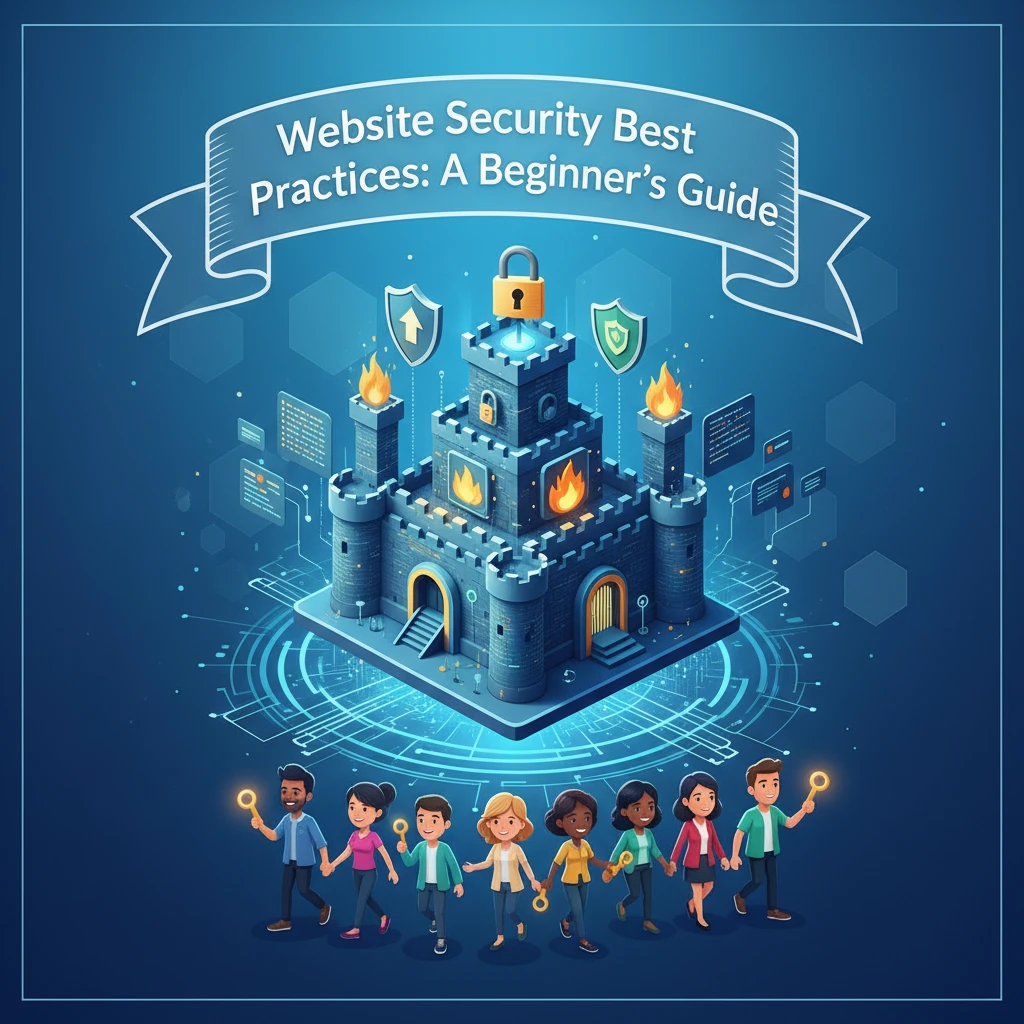
Selecting the right hosting provider is a critical first step in securing your website. Each type of hosting—shared, dedicated, and cloud—offers different levels of security and control. Shared hosting, where multiple websites reside on the same server, is the most affordable option but also the least secure. A vulnerability on one website can potentially compromise others on the same server. Dedicated hosting, where you have an entire server to yourself, offers greater security and control but comes at a higher cost. Cloud hosting provides a scalable and flexible solution, distributing your website across multiple servers. This offers good security and reliability, but it’s essential to choose a reputable provider with strong security practices. When making your decision, consider your budget, technical expertise, and the sensitivity of the data you handle. If you’re handling highly sensitive information, dedicated or cloud hosting with robust security features is recommended. For a basic blog or informational site, shared hosting may be sufficient if you implement other security measures diligently. Remember to also assess how you will manage data analytics; a beginner’s guide can provide helpful tips.
Key Security Features to Look for in a Host (SSL Certificates, Firewalls, DDoS Protection)
When evaluating hosting providers, prioritize those that offer robust security features. An SSL certificate is essential for encrypting data transmitted between your website and visitors, protecting sensitive information like passwords and credit card details. A firewall helps to block malicious traffic and prevent unauthorized access to your server. DDoS protection is crucial for mitigating distributed denial-of-service attacks, which can overwhelm your server and make your website unavailable. Other important security features include regular backups, malware scanning, and intrusion detection systems. Ask potential hosting providers about their security protocols, their response time to security incidents, and their compliance with industry standards. Ideally, your hosting provider should also offer two-factor authentication for accessing your account and support proactive security monitoring. A hosting provider that takes security seriously will be transparent about their security practices and provide you with the tools and resources you need to protect your website.
Due Diligence Checklist: Questions to Ask Before Choosing a Hosting Provider
Before committing to a hosting provider, conduct thorough due diligence. Here’s a checklist of questions to ask: “What security measures do you have in place to protect my website and data?” “Do you offer SSL certificates, and if so, what type?” “What type of firewall do you use, and how is it configured?” “Do you offer DDoS protection, and what is your mitigation strategy?” “How often do you perform backups, and where are they stored?” “What is your response time to security incidents?” “Do you have a security incident response plan?” “Are you compliant with any industry security standards (e.g., PCI DSS, HIPAA)?” “Do you offer two-factor authentication for account access?” “Can I review your security policies and procedures?” “What is your uptime guarantee, and how do you ensure server reliability?” Carefully evaluate the answers to these questions and choose a hosting provider that prioritizes security and demonstrates a commitment to protecting your website and data. Remember to read reviews and check their service level agreement (SLA) for details on uptime and support. A secure foundation is critical; if you’re aiming for a high-converting website homepage, security should be paramount from the start.
SSL Certificates: Your Website’s First Line of Defense (And Why HTTPS is a MUST)
Understanding SSL Certificates: What They Are and How They Work
An SSL (Secure Sockets Layer) certificate is a digital certificate that authenticates your website’s identity and enables an encrypted connection between your website and your visitors’ browsers. When a user visits your website, their browser checks the SSL certificate to verify that it’s valid and issued by a trusted certificate authority (CA). If the certificate is valid, the browser establishes a secure, encrypted connection using the HTTPS protocol. This encryption protects sensitive data, such as passwords, credit card numbers, and personal information, from being intercepted by hackers. Without an SSL certificate, data transmitted between your website and visitors is vulnerable to eavesdropping. SSL certificates work by using cryptographic algorithms to encrypt and decrypt data. When a browser connects to a website with an SSL certificate, the server sends a copy of its SSL certificate to the browser. The browser then verifies the certificate’s validity and establishes a secure connection. Think of it as a digital handshake that verifies the identity of your website and ensures that all communication is encrypted and secure. Using HTTPS is not just a best practice; it’s a necessity for protecting your users and building trust.
Types of SSL Certificates: Choosing the Right One for Your Website
There are several types of SSL certificates available, each offering different levels of validation and features. Single-domain SSL certificates secure one specific domain name, such as `trainingsadda.in`. Wildcard SSL certificates secure a domain and all its subdomains (e.g., `*.trainingsadda.in`). Multi-domain SSL certificates (also known as SAN certificates) can secure multiple domains and subdomains with a single certificate. Extended Validation (EV) SSL certificates provide the highest level of validation, requiring a more rigorous verification process and displaying the organization’s name prominently in the browser’s address bar. The choice of SSL certificate depends on your specific needs and budget. For a simple blog or informational website, a single-domain SSL certificate is usually sufficient. If you have multiple subdomains, a wildcard SSL certificate is a better choice. If you need to secure multiple unrelated domains, a multi-domain SSL certificate is the most efficient option. For e-commerce websites or businesses that handle sensitive customer data, an EV SSL certificate can provide an extra layer of trust and security. Consider the level of trust you want to convey to your visitors and the number of domains and subdomains you need to secure when making your decision.
How to Install and Verify Your SSL Certificate (A Step-by-Step Guide)
Installing an SSL certificate typically involves several steps. First, you need to purchase an SSL certificate from a reputable certificate authority (CA) or your hosting provider. Once you’ve purchased the certificate, you’ll need to generate a Certificate Signing Request (CSR) on your web server. The CSR contains information about your domain and organization. You’ll then submit the CSR to the CA, who will use it to issue your SSL certificate. Once you receive the SSL certificate from the CA, you’ll need to install it on your web server. The installation process varies depending on your web server software (e.g., Apache, Nginx, IIS). Your hosting provider should provide instructions on how to install the SSL certificate on their servers. After installing the certificate, you should verify that it’s working correctly. You can use online SSL checker tools to verify that the certificate is valid, properly installed, and that the HTTPS connection is secure. It’s also important to configure your website to automatically redirect HTTP traffic to HTTPS. This ensures that all visitors are using a secure connection. Regularly check your SSL certificate’s expiration date and renew it before it expires to maintain a secure connection. Remember, a broken or expired SSL certificate can damage your website’s reputation and deter visitors.
WordPress Security Essentials: Plugins, Themes, and Core Updates
The Importance of Regular WordPress Updates (Core, Themes, and Plugins)
Keeping your WordPress core, themes, and plugins up-to-date is one of the most critical steps in securing your website. WordPress is a popular target for hackers, and outdated software often contains known vulnerabilities that can be exploited. WordPress releases regular updates to address security issues, fix bugs, and improve performance. Similarly, theme and plugin developers release updates to patch vulnerabilities and add new features. Failing to update your WordPress core, themes, and plugins leaves your website vulnerable to attack. For example, an outdated plugin with a known security flaw could allow an attacker to inject malicious code into your website or gain access to your database. Regularly check for updates in your WordPress dashboard and install them as soon as they become available. Consider enabling automatic updates for minor WordPress core releases to ensure that your website is always protected against the latest threats. Before updating, always back up your website to ensure that you can restore it if something goes wrong. Staying up-to-date is a simple but essential step in maintaining a secure WordPress website.
Must-Have WordPress Security Plugins (Examples and Configuration)
Several WordPress security plugins can help to protect your website from various threats. Wordfence Security is a popular plugin that offers a comprehensive suite of security features, including a firewall, malware scanner, and login security tools. Sucuri Security is another excellent option that provides website monitoring, malware removal, and firewall protection. iThemes Security offers a range of security features, including brute force protection, file change detection, and security logging. When choosing a security plugin, consider its features, ease of use, and reputation. Once you’ve installed a security plugin, configure it properly to maximize its effectiveness. Enable the firewall to block malicious traffic, schedule regular malware scans to detect and remove threats, and implement strong password policies to prevent unauthorized access. Configure login security settings to limit login attempts and enforce two-factor authentication. Regularly review the plugin’s logs to identify and address any security issues. Experiment with the settings to see what works best for your website; there is no universal “best” configuration. Implementing these can also help to increase the effectiveness of digital marketing automation strategies by safeguarding user data. Consider these steps when choosing your security plugins.
Choosing Secure Themes: Avoiding Common Vulnerabilities
The theme you choose for your WordPress website can significantly impact its security. A poorly coded or outdated theme can introduce vulnerabilities that can be exploited by attackers. When selecting a theme, choose one from a reputable source, such as the official WordPress theme directory or a well-known theme developer. Avoid using nulled or pirated themes, as they often contain malware or backdoors. Look for themes that are regularly updated and supported by the developer. Check the theme’s reviews and ratings to see what other users have to say about its security and performance. Before installing a theme, review its code to ensure that it follows WordPress coding standards and doesn’t contain any suspicious code. Use a theme security scanner plugin to identify potential vulnerabilities. Common theme vulnerabilities include cross-site scripting (XSS) flaws, SQL injection vulnerabilities, and file inclusion vulnerabilities. By choosing a secure theme and keeping it up-to-date, you can significantly reduce the risk of security breaches. Remember that the visual appeal of a theme is secondary to its security; prioritize security over aesthetics when making your decision. Make sure your website design is accessible. Further enhance your online presence by following content marketing best practices, but only after ensuring your website is secure.
Strong Passwords and User Account Management: A Beginner’s Guide
Creating Unbreakable Passwords: Best Practices and Tools
Password security is the foundation of website protection. Start by requiring strong passwords that are difficult to crack. A strong password should be at least 12 characters long, include a mix of uppercase and lowercase letters, numbers, and symbols. Avoid using easily guessable information like names, birthdays, or common words. Password complexity requirements are crucial. Implement a password policy that enforces these rules. Users attempting to set a weak password should receive clear feedback prompting them to create a stronger one.
Consider using password managers, both for your administrative accounts and encouraging your users to do so as well. Tools like LastPass, 1Password, and Bitwarden can generate and store complex passwords securely. Educate users about the importance of not reusing passwords across different websites. Password reuse is a major vulnerability. For example, if a user’s password for a less secure site is compromised, attackers may try using it on your website.
Example: Imagine a user chooses “Password123!” for their admin account. A basic brute-force attack could compromise it within hours. A strong password like “xY7$qL9pZ2@kRm4” is exponentially more difficult to crack. An attacker might require months or even years to successfully brute force it, depending on the computing power deployed and the algorithm being employed.
Regularly remind users to update their passwords, especially after a data breach is reported on other platforms. Implement a forced password reset policy every 90 days. While this may annoy some users, it demonstrably improves security, particularly in the face of reused passwords. Finally, avoid storing passwords in plain text. Utilize strong hashing algorithms like bcrypt to store passwords securely. The hashing function should be salted, meaning a unique, random string is added to each password before it’s hashed. This makes rainbow table attacks much less effective.
Multi-Factor Authentication (MFA): Adding an Extra Layer of Security
Even with strong passwords, accounts can still be compromised through phishing or malware. Multi-factor authentication (MFA) adds an extra layer of security by requiring users to provide two or more verification factors. Common factors include something the user knows (password), something the user has (a code sent to their phone), and something the user is (biometric data like a fingerprint).
Implement MFA using authenticator apps like Google Authenticator, Authy, or Microsoft Authenticator. These apps generate time-based one-time passwords (TOTP) that are difficult to intercept. SMS-based MFA is also an option, but it’s less secure due to the risk of SIM swapping attacks. Consider using hardware security keys like YubiKey for the highest level of security, especially for administrative accounts. These keys provide strong protection against phishing and other attacks.
Example: An attacker steals a user’s password via a phishing email. Without MFA, they can immediately access the account. With MFA enabled, the attacker also needs the user’s phone or security key, significantly increasing the difficulty of the attack. Many platforms now offer MFA; enabling it is a simple yet highly effective security measure.
Clearly explain to users how to set up and use MFA. Provide step-by-step instructions and offer support to address any issues. Emphasize the importance of keeping their recovery codes safe. These codes are crucial for regaining access to their accounts if they lose access to their MFA device. Consider requiring MFA for all user accounts, especially those with elevated privileges. While it adds friction to the login process, the security benefits outweigh the inconvenience.
User Roles and Permissions: Limiting Access to Sensitive Areas
Implement a role-based access control (RBAC) system to restrict user access based on their job function. Assign users to specific roles with predefined permissions. Grant users only the minimum access they need to perform their tasks. This principle of least privilege is essential for limiting the potential damage from a compromised account or malicious insider.
Create different roles with varying levels of access. For example, an “administrator” role might have full access to all website features, while an “editor” role can only create and edit content. A “subscriber” role might only have access to read certain sections of the website. Regularly review user roles and permissions to ensure they are still appropriate. When employees leave the organization, immediately revoke their access to all systems.
Example: An employee in the marketing department only needs access to content management tools and analytics dashboards. They shouldn’t have access to the server configuration or database. Restricting their access limits the potential damage if their account is compromised. Similarly, if a user’s machine is infected with malware, limiting permissions confines the impact.
Implement strong authentication and authorization mechanisms to enforce access controls. Use access control lists (ACLs) to define who can access specific resources. Log all access attempts, both successful and unsuccessful. Regularly monitor these logs for suspicious activity. Consider implementing a system that automatically disables accounts after multiple failed login attempts. This can help prevent brute-force attacks. Remember to clearly document your access control policies and procedures.
Protecting Against Common Website Attacks: SQL Injection, XSS, and Malware
Understanding SQL Injection and How to Prevent It
SQL injection is a common web security vulnerability where attackers insert malicious SQL code into input fields to manipulate database queries. This can allow attackers to bypass authentication, steal sensitive data, modify data, or even execute arbitrary commands on the server. The vulnerability arises when user-supplied data is improperly sanitized and used directly in SQL queries.
The primary defense against SQL injection is to use parameterized queries or prepared statements. These techniques separate the SQL code from the user-supplied data, preventing the data from being interpreted as code. Input validation is also crucial. Validate all user input to ensure it conforms to the expected format and data type. Escape special characters that could be used to construct malicious SQL code. Implement a web application firewall (WAF) to detect and block SQL injection attempts.
Example: A website uses the following SQL query to authenticate users: `SELECT * FROM users WHERE username = ‘” + username + “‘ AND password = ‘” + password + “‘`. An attacker could enter the following username: `’ OR ‘1’=’1` and any password. The resulting query would be `SELECT * FROM users WHERE username = ” OR ‘1’=’1′ AND password = ‘any_password’`. Since ‘1’=’1′ is always true, the query would return all users, allowing the attacker to bypass authentication. Parameterized queries prevent this by treating the user-supplied data as literal strings, not as SQL code.
Regularly scan your website for SQL injection vulnerabilities using automated tools. Penetration testing can also help identify and fix these vulnerabilities. Educate developers about the risks of SQL injection and best practices for preventing it. Ensure that your database server is properly configured and hardened. Limit database user privileges to the minimum required for each application.
Cross-Site Scripting (XSS) Vulnerabilities: Detection and Mitigation
Cross-site scripting (XSS) is a vulnerability that allows attackers to inject malicious scripts into web pages viewed by other users. These scripts can steal cookies, redirect users to malicious websites, or deface the website. XSS vulnerabilities occur when user-supplied data is displayed on a web page without proper sanitization.
There are three main types of XSS: stored (persistent), reflected (non-persistent), and DOM-based. Stored XSS occurs when the malicious script is stored on the server, such as in a database or comment section. Reflected XSS occurs when the malicious script is injected into the URL or form data and reflected back to the user. DOM-based XSS occurs when the malicious script manipulates the Document Object Model (DOM) of the web page.
Example: An attacker injects the following script into a comment field: `<script>alert(‘XSS Vulnerability!’)</script>`. When other users view the comment, the script will execute, displaying an alert box. A more sophisticated attack could steal the user’s cookies and send them to the attacker’s server. Proper output encoding and input validation prevent these scripts from being executed.
To prevent XSS vulnerabilities, use output encoding to escape special characters that could be interpreted as code. Validate all user input to ensure it doesn’t contain malicious scripts. Implement a content security policy (CSP) to restrict the sources from which the browser can load resources. Use a web application firewall (WAF) to detect and block XSS attacks. Regularly scan your website for XSS vulnerabilities using automated tools and manual code review.
Malware Scanning and Removal: Keeping Your Website Clean
Malware can infect websites in various ways, including through vulnerabilities in plugins, themes, or outdated software. Malware can damage your website, steal sensitive data, redirect users to malicious websites, or use your website to distribute malware to other users. Regularly scanning your website for malware is essential for maintaining its security and reputation.
Use a reputable malware scanner to regularly scan your website for malicious code. There are many free and commercial malware scanners available. Choose a scanner that is regularly updated with the latest malware signatures. Configure the scanner to automatically scan your website on a daily or weekly basis. Review the scanner’s reports and take immediate action to remove any malware that is detected.
Example: A website is infected with malware that redirects visitors to a fake online pharmacy. Visitors who enter their credit card information on the fake website have their information stolen. A regular malware scan would have detected the malicious code and prevented the redirection. Some services, like Sucuri, provide ongoing scanning and removal services. Choosing a reputable service can save time and ensure the best possible protection.
Keep your website software, including your content management system (CMS), plugins, and themes, up to date. Security updates often include patches for vulnerabilities that malware can exploit. Use strong passwords for all user accounts, especially administrative accounts. Regularly back up your website to a safe location. This will allow you to restore your website quickly if it is infected with malware. Consider implementing a file integrity monitoring system to detect unauthorized changes to your website files.
Website Backups: Your Safety Net in Case of Disaster
Why Regular Backups are Crucial (And How Often You Should Back Up)
Website backups are your last line of defense against data loss due to hardware failures, human error, malware infections, or natural disasters. A recent study showed that over 60% of small businesses that experience a significant data loss never fully recover. Regular backups allow you to quickly restore your website to a working state, minimizing downtime and preventing loss of revenue or reputation. It is important to follow these website security best practices.
The frequency of your backups depends on how often your website’s data changes. If your website is updated frequently with new content, comments, or user data, you should back up your website daily or even more frequently. For example, an e-commerce website that processes hundreds of transactions per day should back up its database hourly or even in real-time. If your website is relatively static, you can back it up less frequently, such as weekly or monthly.
Example: An e-commerce website experiences a server failure that corrupts its database. Without a recent backup, the website would lose all of its customer data, order information, and product details. Restoring from a recent backup would allow the website to resume operations with minimal data loss. A retail website, for example, might lose thousands of dollars in revenue during even a short outage.
Automate your backup process to ensure that backups are performed regularly and consistently. Use a backup plugin or service that automatically backs up your website’s files and database to a secure location. Test your backups regularly to ensure that they can be restored successfully. Document your backup and recovery procedures so that anyone can restore your website in case of an emergency. Storing backups offsite is very beneficial. A good guide to crafting a website from the ground up should mention backups as part of its general security advice.
Backup Strategies: On-Site vs. Off-Site Storage
When choosing a backup strategy, consider the pros and cons of on-site vs. off-site storage. On-site backups are stored on the same server as your website. They are fast and easy to access, but they are vulnerable to the same risks as your website, such as hardware failures, malware infections, or natural disasters. Off-site backups are stored on a separate server or cloud storage service. They are more resilient to these risks, but they can be slower to access.
A best practice is to use a combination of on-site and off-site backups. Keep recent backups on-site for quick recovery in case of minor issues. Store off-site backups for disaster recovery in case of a major outage. Choose a reputable off-site backup provider with strong security measures and data redundancy. Consider using cloud storage services like Amazon S3, Google Cloud Storage, or Microsoft Azure for off-site backups.
Example: A website uses on-site backups for daily recovery and off-site backups for disaster recovery. If the website experiences a minor issue, such as a corrupted file, it can be quickly restored from the on-site backup. If the website experiences a major outage, such as a server failure, it can be restored from the off-site backup. This layered approach to backups maximizes both speed and security.
Encrypt your backups to protect them from unauthorized access. Use a strong encryption algorithm and keep the encryption key in a safe location. Regularly test your backups to ensure that they can be restored successfully. Document your backup and recovery procedures so that anyone can restore your website in case of an emergency. Automate the digital marketing automation of your backups so that they are done automatically and consistently.
Testing Your Backups: Ensuring They Work When You Need Them
Creating backups is only half the battle. You must also test your backups regularly to ensure that they can be restored successfully. A backup that cannot be restored is useless. Schedule regular test restores to a staging environment. This will allow you to verify the integrity of your backups without affecting your live website. This is particularly crucial for services that may rely on having a well-optimized landing page.
When testing your backups, verify that all of your website’s files and database are restored correctly. Check that all of your website’s functionality is working as expected. Verify that all of your website’s data is intact and accurate. Document the results of your test restores. If you encounter any issues, investigate them and take corrective action. Update your backup and recovery procedures as needed.
Example: A website creates daily backups, but it never tests them. When the website experiences a server failure, it discovers that the backups are corrupted and cannot be restored. This results in significant data loss and downtime. Regular test restores would have identified the issue and allowed the website to correct it before the disaster occurred.
Automate the testing of your backups using a script or service. This will ensure that your backups are tested regularly and consistently. Consider using a disaster recovery plan to guide your backup and recovery efforts. A disaster recovery plan outlines the steps you will take to restore your website in case of a disaster. Regularly review and update your disaster recovery plan.
Alternatives to Paid Security Suites (And When to Choose Them)
Open Source Security Tools: Pros, Cons, and Examples
Open-source security tools offer a cost-effective alternative to commercial security suites. These tools are typically free to use and are often developed and maintained by a community of security experts. This can lead to rapid updates and quick responses to emerging threats. However, open-source tools may require more technical expertise to configure and maintain.
Some popular open-source security tools include: Snort (an intrusion detection and prevention system), Suricata (another intrusion detection and prevention system), OpenVAS (a vulnerability scanner), and OSSEC (a host-based intrusion detection system). These tools can be used to monitor network traffic, detect vulnerabilities, and prevent attacks. When choosing an open-source tool, consider the size and activity of the community supporting it. A large and active community indicates that the tool is well-maintained and that there are plenty of resources available for help and support.
Example: A small business with limited budget uses Snort to monitor its network traffic for malicious activity. The business configures Snort to detect common attacks, such as SQL injection and XSS. When Snort detects a suspicious event, it sends an alert to the business’s security team. The business also uses OpenVAS to regularly scan its website for vulnerabilities. When OpenVAS identifies a vulnerability, the business takes steps to fix it.
Open-source tools are not a silver bullet. They require ongoing maintenance and expertise to be effective. Ensure that you have the necessary skills and resources to properly configure and maintain these tools. Consider hiring a security consultant to help you get started. Many companies offer support and consulting services for open-source security tools.
Free Security Plugins: Balancing Cost and Functionality
Many content management systems (CMS) like WordPress offer a wide range of free security plugins. These plugins can provide basic security features, such as malware scanning, firewall protection, and login security enhancements. While free plugins can be a good starting point, they often have limitations compared to paid plugins. It is important to choose free plugins carefully and to understand their limitations.
When choosing free security plugins, consider the following factors: the plugin’s rating and reviews, the plugin’s active installations, the plugin’s last updated date, and the plugin developer’s reputation. Choose plugins that have high ratings, a large number of active installations, and are regularly updated. Be wary of plugins that are outdated or have a poor reputation. Always back up your website before installing or updating any plugin. Before choosing a plugin, research to make sure it does not conflict with existing plugins.
Example: A website uses a free security plugin to protect against brute-force attacks. The plugin limits the number of login attempts that can be made from a single IP address. This helps to prevent attackers from guessing passwords. The website also uses a free malware scanner to regularly scan its website for malicious code. When the scanner detects malware, the website takes steps to remove it.
Free security plugins are not a substitute for comprehensive security measures. They should be used in conjunction with other security best practices, such as strong passwords, regular backups, and software updates. Consider upgrading to a paid security plugin for more advanced features and better support. Check for simple steps you can take to ensure web design accessibility for your site.
Managed Security Services: Is It Worth the Investment?
Managed security services provide comprehensive security solutions delivered by a third-party provider. These services can include vulnerability scanning, intrusion detection, incident response, and security monitoring. Managed security services can be a good option for businesses that lack the internal expertise or resources to manage their own security. However, they can be expensive, so it is important to carefully consider the costs and benefits before making a decision.
When choosing a managed security service provider, consider the following factors: the provider’s experience and expertise, the provider’s service level agreement (SLA), the provider’s security certifications, and the provider’s pricing. Choose a provider with a proven track record, a clear SLA, and relevant security certifications. Be sure to understand the provider’s pricing model and what is included in the service. For example, make sure that the SLA includes provisions for how quickly the provider will respond to a critical security incident.
Example: A medium-sized business hires a managed security service provider to monitor its network for security threats. The provider uses a security information and event management (SIEM) system to collect and analyze security logs from the business’s network devices. When the provider detects a suspicious event, it investigates it and takes appropriate action. The provider also provides the business with regular security reports and recommendations. This allows the business to focus on its core business activities without having to worry about the day-to-day management of its security.
Managed security services are a significant investment, but they can provide valuable security benefits. Carefully assess your security needs and budget before making a decision. Consider starting with a limited set of services and then expanding as needed. Make sure you understand what you are paying for. For example, many managed security service providers offer a menu of services that can be tailored to your specific needs and budget. As a general security practice, consider implementing a Web Application Firewall (WAF) for your website. A WAF helps protect your website from common web attacks such as SQL injection and cross-site scripting (XSS).
Website Security Monitoring and Auditing: Staying Vigilant
Proactive website security monitoring and auditing are essential for maintaining a robust defense against evolving threats. Instead of waiting for an attack, continuous surveillance allows you to identify and address vulnerabilities before they can be exploited. This involves setting up alerts, conducting regular security audits, and diligently analyzing server logs. Ignoring these steps is akin to leaving your front door unlocked – it’s only a matter of time before someone tries to get in. You should think about security monitoring as a continuous process, always adapting to new information.
Setting Up Website Security Alerts and Notifications
Implementing a robust alerting system is your first line of defense. These alerts should notify you immediately of suspicious activity, such as multiple failed login attempts from a single IP address, unusual file modifications, or sudden spikes in traffic from unexpected locations. Consider using a Web Application Firewall (WAF) that can be configured to send alerts based on custom rules. For example, setting up an alert when a specific file is accessed that shouldn’t be is crucial. Configure alerts for:
- Failed login attempts: Trigger an alert after 3-5 failed attempts from the same IP within a short period.
- Unusual file modifications: Monitor critical files like
.htaccess,
Comments
0 comments